

PDF Editor for Docs:Edit, Fill, Sign, Print

खास जानकारी
Easily edit, annotate, eSign and transform any PDF from Google Drive into a fillable PDF form.
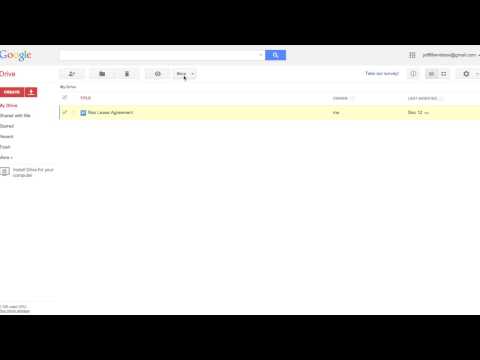
Save time, reduce processing costs and eliminate errors with the PDFfiller Google Drive add-on. Instantly edit, e-sign, share, fill out or convert any PDF or other document stored in Google Drive. Want to try PDFfiller for FREE? Get a 30-day free trial right now! With the PDFfiller add-on you can: - Edit, annotate and rewrite text, images and graphics in any native or scanned PDF from Google Drive - Blackout and erase sensitive information in a PDF - Merge multiple PDFs from Google Drive into a single document - Convert any PDF from Google Drive into Word, Excel or Powerpoint - Turn any document from Google Drive into an online fillable PDF form with smart fillable fields - Share a fillable PDF form via email, direct link, QR code or host it on your website to easily collect client data - Add your signature to any PDF from Google Drive - Send any PDF from Google Drive to be signed individually or by a group on any desktop or mobile device How to use: 1. After installing the add-on, you will be able to open documents in Google Drive. Right-click any supported file and select ‘Open with’ > ‘PDFfiller’ 2. Create a PDF document right from your Google cloud storage. Just click the ‘✚ New’ button, go to ‘More’ options, and select the PDFfiller app. The editor will then be opened. Once you've finished editing, click ‘Done’ and a newly-created PDF document will appear in your Google Drive. Files Supported: • PDF (.pdf) • Documents (Microsoft Word, Google Docs, RTF, TXT) • Powerpoint (Microsoft Powerpoint, Google Slides) ***Please note that you must register for a free PDFfiller account to save your edited PDF document. A paid subscription plan is required to use some PDFfiller features.*** It’s easy to edit, e-sign, convert, print and fax PDFs while on the go with the PDFfiller app for iPhone and Android devices. For support, visit https://www.pdffiller.com/en/support.htm Subscribe to our blog https://blog.pdffiller.com/ Follow us on Twitter: @pdf_filler Like us on Facebook: facebook.com/pdffiller
5 में से 1.72.2 हज़ार रेटिंग
वर्णन
- वर्शन1.0.3
- पिछली बार अपडेट होने की तारीख:16 अगस्त 2019
- आकार28.65KiB
- भाषाएंEnglish
- डेवलपरवेबसाइट
ईमेल
gapps7@pdffiller.team - गैर-व्यापारीइस डेवलपर ने अपनी पहचान व्यापारी के तौर पर ज़ाहिर नहीं की है. अगर आप यूरोपियन संघ के किसी देश में रहने वाले उपभोक्ता हैं, तो आपके और डेवलपर के बीच हुए समझौते पर उपभोक्ता के अधिकार लागू नहीं होंगे.
निजता
सहायता
सवालों, सुझावों या समस्याओं से जुड़ी मदद पाने के लिए, कृपया इस पेज को डेस्कटॉप ब्राउज़र पर खोलें