

PDF Editor Chrome Extension - Rahul Bindal
8 ratings
)
Overview
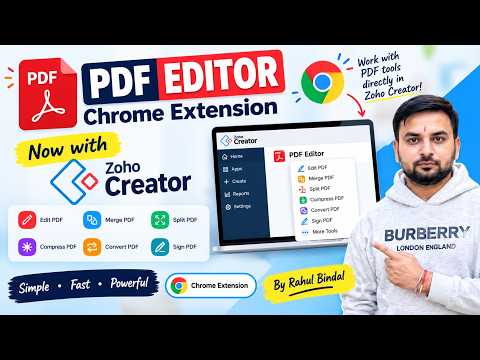
Edit, annotate, sign, merge, compare & OCR PDFs in any language, with an optional AI assistant. Works with Zoho Creator.
📄 Your PDFs, fully in your control. No uploads, no subscriptions, no watermarks. PDF Editor turns Chrome into a complete PDF studio. Open any file and change the text, mark it up, sign it, merge it, compare it, or ask an AI about it. Almost everything runs privately on your own computer. ✨ WHY YOU’LL LOVE IT ✏️ EDIT LIKE A DOCUMENT Click and change existing text, add new text anywhere, and run OCR on scanned pages. Add signatures and watermarks, and undo any mistake. 🖍️ MARK UP WITH EASE Highlight with the marker, draw lines and shapes, and erase with a drag. Drop sticky notes anywhere and drag or resize them. Add comments with replies and resolve them. They export as real PDF comments that show up in Acrobat and Chrome. 🌍 WRITE IN YOUR LANGUAGE Type and export perfectly shaped text in Hindi, Punjabi, Bengali, Gujarati, Tamil, Telugu, Kannada, Malayalam, Arabic, Urdu, Persian, Hebrew, Thai, Chinese, Japanese, Korean, Cyrillic, Greek, Vietnamese, and even emoji. Right-to-left text and complex scripts just work. Beautiful Noto fonts are built in, and you can add your own. 🧩 MERGE, SPLIT & COMPRESS Combine PDFs with drag-and-drop ordering. Split by page range, every N pages, or page by page. Shrink big files with Light, Balanced or Strong compression. Convert and password-protect in a few clicks. 🔍 SPOT EVERY DIFFERENCE Compare two versions of a PDF and see exactly what changed: Text diff with removed words in red and added words in green Pixel-level visual diff in Side by side, Difference and Swipe views, so it catches images, signatures and layout too Download a PDF containing only the pages that changed 🤖 OPTIONAL AI ASSISTANT Chat with your document. Summarize it, pull out key points and action items, or select text and ask for an explanation. Every answer cites its pages, and one click takes you there. Save any answer as a sticky note. Use your own Claude (Anthropic) key, any OpenAI-compatible service, or a fully local model through Ollama or LM Studio. 🔗 ZOHO CREATOR READY Built to work with Zoho Creator for faster document workflows. 🔒 PRIVATE BY DESIGN Your files never leave your device The AI assistant is off until you set it up, and it sends only extracted text, only when you ask Your API key stays in your browser, and you can delete it anytime One extension to edit, sign, organize, compare and understand your PDFs, in any language. Designed & developed by Rahul Bindal.
5 out of 58 ratings
Details
- Version1.10.1
- UpdatedOctober 20, 2026
- Offered byrbindal2811
- Size14.4MiB
- LanguagesEnglish
- Developer
Email
rbindal2811@gmail.com - Non-traderThis developer has not identified itself as a trader. For consumers in the European Union, please note that consumer rights do not apply to contracts between you and this developer.
Privacy

This developer declares that your data is
- Not being sold to third parties, outside of the approved use cases
- Not being used or transferred for purposes that are unrelated to the item's core functionality
- Not being used or transferred to determine creditworthiness or for lending purposes
Support
For help with questions, suggestions, or problems, please open this page on your desktop browser