


Overview
Instantly translate PDFs with original formatting preserved. Professional AI translation using GPT-4o, DeepL & Google. Free & Fast.
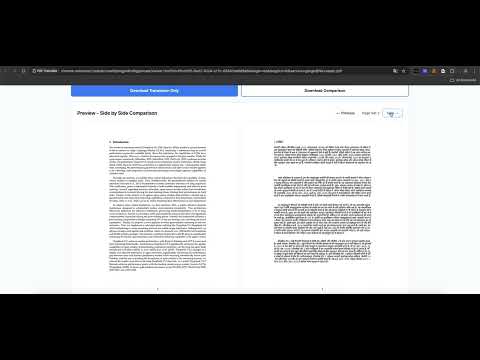
PDF Translate makes it easy to translate full PDF documents directly inside your browser. Upload a PDF, choose your source/target language, pick a translation engine, and get a high‑quality result without leaving the page. What you can do: Translate PDFs end to end with no copy/paste. Drag & drop or click to upload (recommended up to 50MB). Choose from multiple engines: Google Translate, Bing Translate, and premium options (OpenAI, DeepL Pro) for higher fidelity. Keep formatting readable: preserve basic layout and text flow for easy review. Track progress live: see upload, processing, and completion status as the file is translated. Download results: get the translated PDF (single-column or dual-column) once it’s ready. Multilingual support: popular languages like English, Chinese (Simplified/Traditional), Spanish, French, German, Japanese, Korean, Portuguese, Russian, Arabic, and more. Account integration: sign in to unlock premium engines and higher usage limits. Users with “Unlimited Usage” or active/canceled-but-still-valid subscriptions can use premium engines during the validity period. How it works: Open the extension popup and log in (if you need premium engines). Pick source and target languages. Select a translation service (basic or premium). Upload your PDF and start translation. Follow the progress indicator; download when finished. Why use PDF Translate: Fast setup: no separate apps or manual text extraction. Flexible engines: switch between basic and premium models depending on quality needs. Friendly limits: daily free credits for guests; subscribers get higher or unlimited usage. Privacy-aware: files are only used to provide the translation; no extra data collection beyond what’s needed for the service. Permissions explained: storage: cache minimal settings and session info for a smoother experience. cookies: keep you signed in to your PDF Translate account. host permissions (pdf-translation.com): connect securely to the translation service API. Tips: Log in first if you need premium engines. For best results, keep PDFs under 50MB and use clear, text-based PDFs (scanned images may reduce quality). If you have “Unlimited Usage” or an active/canceled-but-still-valid subscription, premium engines will be available during the validity period. Support: If you encounter issues (upload limits, engine access, or translation errors), sign in and check your subscription/credits in the “My Account” link from the popup.�
0 out of 5No ratings
Details
- Version1.0.2
- UpdatedDecember 16, 2025
- FeaturesOffers in-app purchases
- Size574KiB
- LanguagesEnglish (United States)
- DeveloperPLANVAWebsite
71-75 Shelton Street London WC2H 9JQ GBEmail
planvaofficial@gmail.comPhone
+44 7713 766956 - TraderThis developer has identified itself as a trader per the definition from the European Union and committed to only offer products or services that comply with EU laws.
- D-U-N-S232775863
Privacy

PDF AI Translator: GPT-4, DeepL & Google has disclosed the following information regarding the collection and usage of your data. More detailed information can be found in the developer's privacy policy.
PDF AI Translator: GPT-4, DeepL & Google handles the following:
This developer declares that your data is
- Not being sold to third parties, outside of the approved use cases
- Not being used or transferred for purposes that are unrelated to the item's core functionality
- Not being used or transferred to determine creditworthiness or for lending purposes