


Overview
One-click payment from Shop-Ware, Tekmetric, and more auto-shop POS systems to a Dejavoo terminal. Auto-fills totals — no retyping.
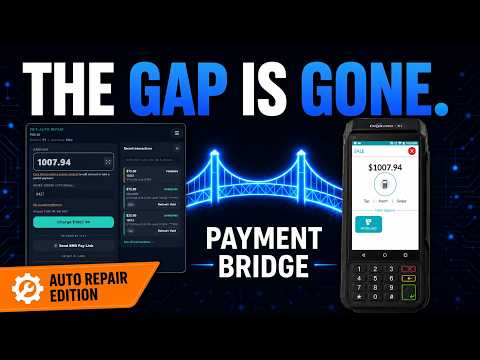
Payment Bridge sends the work-order total from your shop management system straight to your card terminal — one click, no retyping. Your cashier hits Charge, your customer taps their card, and the side panel shows APPROVED about a second later. WHO IT'S FOR Auto-repair shops that already use: • Shop-Ware or Tekmetric as their shop management system (with Vast / Klipboard, TireGuru, Shop-Boss, and Shop-Monkey coming in the weeks after launch). We build custom integrations for your POS. • A Dejavoo P1 payment terminal If you fit that description and you're tired of reading the total off the invoice screen, typing it into the terminal, and hoping you didn't fat-finger a digit — this is for you. WHAT YOU GET • One-click charges from Shop-Ware or Tekmetric. Open the work order, hit Charge in the side panel. The amount and the reference number are already filled in. • Real-time status. The moment your customer taps their card, the side panel flashes APPROVED (or DECLINED) within about a second. No guessing. • Refunds in seconds. Pull up the original charge, click Refund, enter the admin PIN. Done. No phone call to Dejavoo, no walking back to the terminal to look up a transaction ID. • Voids with the same one-click flow. Same gating, same speed. • Multiple cashier workstations per shop. Front counter and service writer can each run their own session on their own computer — no fighting over a single login. • SMS Pay Link. Customer can't come in? Text them a link, they pay on their phone, the work order updates automatically. Useful for phone-in deposits and after-hours pickups. • Manual Card Entry. For the keyed-card cases (mail-order, phone-order, customer left their card). Card data goes through Dejavoo's Hosted Payment Page — it never touches the Payment Bridge extension. • Per-user 6-digit PINs. Each employee signs in with their own PIN. Refunds and voids are logged against the person who ran them, so you have an audit trail when something needs explaining. • Merchant dashboard. Owners and admins manage employees, terminals, transaction history, and settings without leaving the browser. WHAT WE DON'T SEE Cards stay on the terminal. Payment Bridge never sees a card number, a PAN, a CVV, or an expiration date. Every card swipe, tap, insert, and keyed entry happens on your Dejavoo terminal hardware — not in the extension, not in our backend, not in your browser. We see only the result (approved, declined, refunded) and the amount. WHEN THE COMPUTER GOES DOWN The Bypass button on your Dejavoo terminal is always there. If Payment Bridge is unreachable, or if your shop's internet drops for ten minutes, hit Bypass on the terminal, key the amount in, and take the payment directly. We cover this in onboarding so the first outage doesn't catch you off guard. HOW IT FEELS IN THE SHOP • Service writer prints the invoice. Customer walks up with their card. Cashier taps Charge in the side panel. Customer taps card on the terminal. Done — about three seconds of cashier attention, no typing. • Customer comes back at 4:55 PM wanting a refund on yesterday's brake job. Cashier opens the work order, clicks Refund, enters admin PIN, done. No phone call to Dejavoo support, no terminal menu spelunking. • Computer goes down mid-day. Cashier sees a clear in-product message. Hits Bypass on the terminal, takes the next payment manually, reconciles in the management system when Payment Bridge comes back. HOW TO GET STARTED 1. Sign up at paymentbridgeapp.com. Tell us which shop management system you use and which Dejavoo terminal you have. 2. We connect your terminal. Onboarding takes about 30 minutes with a member of our team. We configure everything and walk you through your Merchant Dashboard. 3. Install this extension on each cashier workstation. Pin it, open the side panel on any work order, sign in with your 6-digit PIN, and you're charging. SUPPORT Real humans, fast replies. Email support@paymentbridgeapp.com.
0 out of 5No ratings
Details
- Version0.1.182
- UpdatedJune 4, 2026
- Size90.58KiB
- LanguagesEnglish (United States)
- DeveloperWebsite
Email
support@paymentbridgeapp.com - Non-traderThis developer has not identified itself as a trader. For consumers in the European Union, please note that consumer rights do not apply to contracts between you and this developer.
Privacy

Payment Bridge has disclosed the following information regarding the collection and usage of your data. More detailed information can be found in the developer's privacy policy.
Payment Bridge handles the following:
This developer declares that your data is
- Not being sold to third parties, outside of the approved use cases
- Not being used or transferred for purposes that are unrelated to the item's core functionality
- Not being used or transferred to determine creditworthiness or for lending purposes
Support
For help with questions, suggestions, or problems, visit the developer's support site