

Payload Lens: REST & GraphQL Inspector

Overview
Group REST endpoints and GraphQL operations in DevTools. Inspect payloads, replay calls, diff responses, copy redacted fetch/cURL.
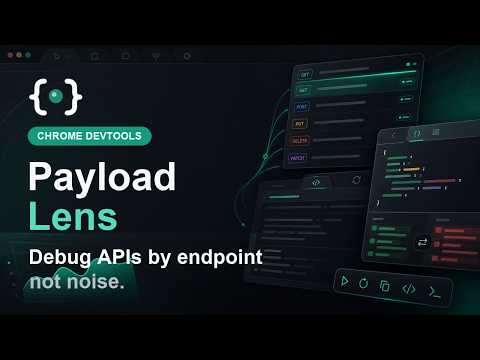
Payload Lens is a REST and GraphQL inspector for Chrome DevTools. It turns raw Network traffic into an endpoint-centered API workspace, so you can inspect real browser requests without jumping between DevTools, curl, Postman, and JSON formatters. Why use Payload Lens instead of only Network? Chrome Network shows every request as a timeline. Payload Lens groups API calls by endpoint and GraphQL operation, so repeated calls, payload changes, replay attempts, and noisy endpoints are easier to reason about. Payload Lens is not a replacement for Network. It is a focused API inspection layer on top of real browser traffic. Use Payload Lens to: - Group REST requests by normalized endpoint, like GET /api/users/:id - Group GraphQL requests by operation name, like query GetDashboard - Inspect request bodies, response bodies, headers, status, duration, and size - View call history for each endpoint - Compare repeated responses with JSON diffs - Replay captured requests from the inspected page context - Copy redacted fetch and cURL snippets - Hide noisy endpoints with Ignore - Preserve your redacted log across reloads - Filter and search captured API traffic Payload Lens redacts common sensitive values by default before display, copy, and optional local persistence. This includes common auth headers, cookies, sensitive query parameters, and JSON fields such as tokens, passwords, secrets, session IDs, and API keys. Payload Lens runs locally in your browser. Captured traffic is not sent to Payload Lens servers. Built for frontend engineers, full-stack developers, and QA engineers who need to understand how a page actually talks to APIs.
0 out of 5No ratings
Details
- Version0.1.0
- UpdatedMay 26, 2026
- Offered byCapyDev
- Size42.16KiB
- LanguagesEnglish (United States)
- Developer
Email
capydev.sys@outlook.com - Non-traderThis developer has not identified itself as a trader. For consumers in the European Union, please note that consumer rights do not apply to contracts between you and this developer.
Privacy

This developer declares that your data is
- Not being sold to third parties, outside of the approved use cases
- Not being used or transferred for purposes that are unrelated to the item's core functionality
- Not being used or transferred to determine creditworthiness or for lending purposes