


Overview
Autofill passwords from PasswordPie, the KeePass password manager for Mac. Needs the PasswordPie app.
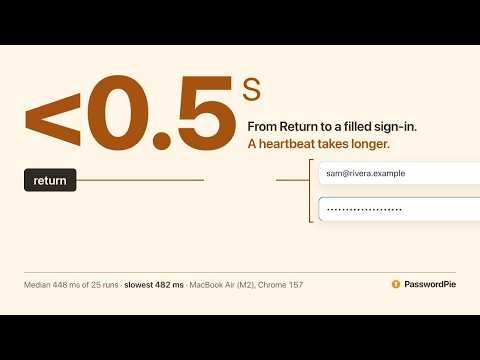
PasswordPie fills the account you pick in PasswordPie, the KeePass password manager for Mac that lives in your menu bar, into the sign-in form of the page you're on. This extension needs the PasswordPie app for Mac. It can't fill anything without it. Get PasswordPie at https://passwordpie.com/ HOW IT WORKS • On a sign-in page, press ⌘\ or click the PasswordPie button in the toolbar. The PasswordPie panel opens with the accounts for that site at the top. • Press Return. The username and password appear in the form. PasswordPie never presses Sign In for you. • A sign-in that asks for the username first and the password on the next page gets both. • Picked an account for another site? PasswordPie opens its website in a new tab and fills it when it loads. BUILT TO FILL THE RIGHT PAGE • It fills only a page on the account's own site. A look-alike domain gets nothing, because PasswordPie checks the domain itself, not what the page says. • It never fills a frame from another site, a plain http page with an account saved for https, or anything while PasswordPie is locked. • Each pick fills once, and is dropped if no matching page shows up within 30 seconds. TWO-STEP CODES • With Premium in the PasswordPie app, the two-step code fills itself on the next page after the password. • Setting up two-step sign-in? Right-click the QR code the site shows and choose Scan QR code with PasswordPie. PasswordPie asks which account to add it to. CHANGING A PASSWORD • Press Reset Password on an account in PasswordPie. It makes the new password, opens the site's change-password page and fills in the current password and the new one. • You press the site's own button. PasswordPie then asks whether the site accepted the new password, and saves it only when you say yes. NO ACCOUNT, NO SIGN-IN • The extension has no account and nothing to sign in to. Click its toolbar button and PasswordPie opens. PRIVATE BY DESIGN • Your passwords stay in your KeePass file on your Mac. They go only to the PasswordPie app on the same Mac, through Chrome's native messaging, and never to us or to any server. • The extension has no account, stores nothing in the browser, and sends nothing to passwordpie.com or to us. • It tells the app only the site of the active tab (such as https://example.com) and whether a window of this Chrome profile is in front, never the page's full address, its contents or your history. • When PasswordPie has an account for that site but no icon for it, the extension sends the app the site's icon, which it fetches without cookies from the address the page gives for it. • No analytics, no tracking, no remote code. REQUIREMENTS • A Mac with macOS 14 or later, and PasswordPie downloaded from passwordpie.com. The Mac App Store version supports Safari only, for now. • Google Chrome. Privacy policy: https://passwordpie.com/privacy-policy Source code: https://github.com/Image-AI-LLC/PasswordPie
0 out of 5No ratings
Details
- Version0.6.0
- UpdatedNovember 15, 2026
- Size75.11KiB
- LanguagesEnglish
- DeveloperWebsite
Email
oldcai.com@gmail.com - Non-traderThis developer has not identified itself as a trader. For consumers in the European Union, please note that consumer rights do not apply to contracts between you and this developer.
Privacy

PasswordPie: Password Manager for Mac has disclosed the following information regarding the collection and usage of your data. More detailed information can be found in the developer's privacy policy.
PasswordPie: Password Manager for Mac handles the following:
This developer declares that your data is
- Not being sold to third parties, outside of the approved use cases
- Not being used or transferred for purposes that are unrelated to the item's core functionality
- Not being used or transferred to determine creditworthiness or for lending purposes
Support
For help with questions, suggestions, or problems, please open this page on your desktop browser