


Overview
High security asymmetric encryption and steganography for text, files and chat.
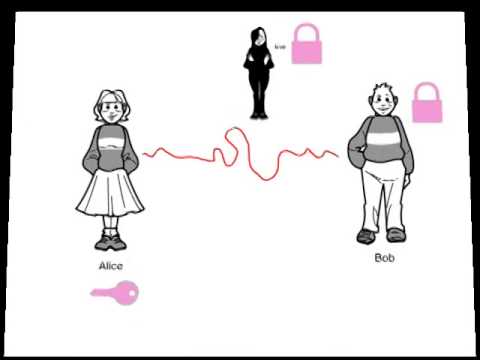
TAKE PRIVACY BACK INTO YOUR OWN HANDS Celebrating 10 years of uncompromising, battle-tested end-to-end encryption and steganography for email, files, and real-time chat. PassLok Privacy is true sovereign software. Designed to operate completely independent of servers that could compromise, monitor, or leak your data, everything executes locally on your machine. We store nothing secret—not in the cloud, and not on your device. WHAT YOU CAN DO WITH PASSLOK: True E2E Messaging: Write messages that only your intended recipient can decrypt, without ever needing to pre-arrange a shared password. Universal Locking: Secure files and images just as easily as text. P2P Secure Chat: Establish real-time, peer-to-peer rooms for text, files, audio, and video—completely serverless. Digital Signatures: Cryptographically sign text, images, and files so recipients know with absolute certainty they came from you. Platform Agnostic: Turn your favorite webmail or texting app into a secure, encrypted channel. Advanced Steganography: Hide encrypted payloads inside apparently innocent text narratives or embed them invisibly into image files. Decoy Mode: Create plausible deniability by ensuring your true message isn't what it appears to be. Read-Once Delivery: Generate messages that permanently self-destruct after a single successful decryption. Cross-Ecosystem Compatibility: Communicate seamlessly with users across the entire suite, including our newest and greatest Privacy Bar, and PassLok for Email. Offline Persistence: Run the app entirely offline. Communicate securely over local networks, or even use a borrowed device if you suspect yours is compromised. A DECADE OF PROVEN CRYPTOGRAPHY For ten years, PassLok has relied on cryptography that has been relentlessly scrutinized by industry experts without a single practical weakness being found. PassLok uses 255-bit standard elliptic curves combined with 256-bit XSalsa20 encryption and 512-bit hash functions to complete the encapsulation process. XSalsa20 is an incredibly fast, high-performance, open-source cipher designed specifically to be immune to the timing attacks that plague older encryption methods. HOW IT WORKS The first time you run PassLok, it helps you generate a Master Key from a text phrase of your choosing. We enforce no arbitrary rules—your Key can be anything you can easily remember, ensuring you never have to write it down. From this Key, PassLok generates a public "Lock" (functioning much like a phone number). You share this Lock with anyone. They use it to seal messages meant for you, and only your Master Key—which never leaves your brain—can unlock them. Optionally, you can post your Lock to the PassLok general directory with a video verification so people know it is genuinely yours. TRANSPARENCY & AUDITING PassLok is available here as a Chrome Extension, but is essentially identical to our standalone desktop and mobile web applications. You can run and audit the pure HTML version at: https://passlok.com/app If you want to verify the web integrity yourself, view the page source, hash it with an external SHA256 tool, and compare it. (Note: This step is not necessary for this Web Store version, as it is intrinsically code-signed by Google). Current SHA256 for the passlok.com/app single-file version: 82b831a9a9450989e7d8a9169e17714c0ab061d17eb8544d74547cef1fe1acd8
4.2 out of 513 ratings
Details
- Version2.7.0
- UpdatedAugust 4, 2026
- Size247KiB
- LanguagesEnglish (United States)
- Developer
- Non-traderThis developer has not identified itself as a trader. For consumers in the European Union, please note that consumer rights do not apply to contracts between you and this developer.
Privacy

This developer declares that your data is
- Not being sold to third parties, outside of the approved use cases
- Not being used or transferred for purposes that are unrelated to the item's core functionality
- Not being used or transferred to determine creditworthiness or for lending purposes
Support
For help with questions, suggestions, or problems, please open this page on your desktop browser