


Overview
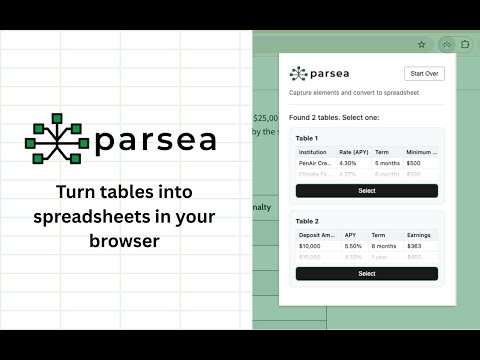
Capture tables on your screen and convert them to spreadsheets
Instantly capture and convert any table on your screen into a clean spreadsheet. Parsea is a productivity tool designed to extract tables from various sources, including websites, PDF documents, and images, without the need for manual data entry. Key Features: - Versatile Extraction: Capture data from live websites, local files, and static images (JPG/PNG/WEBP). - Direct Export: Seamlessly convert tables to Excel, Google Sheets, or CSV formats. - Smart Selection: Automatically detect tables on standard webpages or use the manual tool for static content like images and PDFs. Whether you're converting a PDF to a spreadsheet or pulling research data from a website, Parsea makes table capture instant and accurate. Common Use Cases Export Tables: Effortlessly extract data from web apps with limited export features like Ahrefs, Semrush, Crunchbase, or LinkedIn Sales Navigator. Simplify Hidden Menus: Skip the clicking through submenus in Google Analytics (GA4), Stripe, or Facebook Ads Manager. If you can see the data on your screen, Parsea can capture it. Clean Up Messy Exports: Avoid the broken formatting often found in native Notion, Jira, or Airtable exports. Get your data in a clean CSV or Excel format immediately. Break Through Row Limits: Capture data from Google Search Console or financial dashboards that limit the number of rows you can view or download at once. Unlock Static Content: Convert tables trapped inside PDF documents, JPG/PNG images, or even video frames into editable Google Sheets.
5 out of 56 ratings
Details
- Version1.0.13
- UpdatedAugust 28, 2026
- Size87.02KiB
- LanguagesEnglish
- Developer
- Non-traderThis developer has not identified itself as a trader. For consumers in the European Union, please note that consumer rights do not apply to contracts between you and this developer.
Privacy

Table to Spreadsheet By Parsea has disclosed the following information regarding the collection and usage of your data. More detailed information can be found in the developer's privacy policy.
Table to Spreadsheet By Parsea handles the following:
This developer declares that your data is
- Not being sold to third parties, outside of the approved use cases
- Not being used or transferred for purposes that are unrelated to the item's core functionality
- Not being used or transferred to determine creditworthiness or for lending purposes
Support
For help with questions, suggestions, or problems, visit the developer's support site