


Overview
Learn words as you browse.
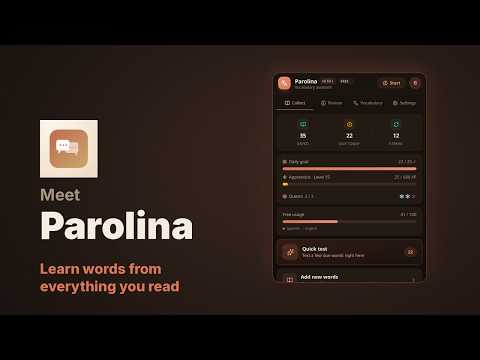
Words you meet while reading are the ones worth learning. Parolina keeps them. Select a word or a phrase on any webpage and save it. The translation, the dictionary definition with an example, the pronunciation, the part of speech, the sentence you found it in and the page it came from are filled in for you. You edit anything you disagree with before it is stored — the draft comes from Google Translate and is yours to correct. Parolina works out which of your dictionaries a word belongs in. Read an Italian page with an English->Italian dictionary open and it will offer the Italian->English pair rather than file the word backwards; select a language you have no dictionary for and it offers to create the pair on the spot. SEVEN WAYS TO PRACTISE, ALL FREE Flashcards, Multiple Choice, Typing, Reverse translation, Fill in the blank, Drag & Drop and Word Reveal — plus a Mixed session that shuffles between them. No mode is behind a paywall. SPACED REPETITION THAT GETS OUT OF THE WAY Answer correctly and the word comes back later: 1 day, then 2, 4, 7, 14, 30, 60, 90. Get it wrong and it returns sooner, by how hard you marked it. Words you have mastered can resurface on a schedule you choose, or not at all. A HABIT, NOT A CHORE A daily goal, a streak, daily quests, XP and levels, tiered achievements — and streak freezes, so one missed day does not undo a month. YOUR WORDS, YOUR DICTIONARIES Keep separate dictionaries by language pair or by topic. Any pair you like: over a hundred languages are available on both sides. PRIVACY-FIRST BY DESIGN Parolina is local-first: your vocabulary is stored locally in your browser, and saving and practice work offline with no account. Fetching a translation draft needs a connection. Sign-in is optional — sign in with an email code or Google and your words sync for free across your devices and browsers. The only page data sent to a third party is the exact text you select: to Google Translate for a translation draft, and, only if you press “Find an example”, that one word to Tatoeba for example sentences. If you sign in, the sentence a word was saved with is synced with the word to your account; the page's address and title are not. Full pages and browsing history are never transmitted. Analytics are anonymous and opt-out. Parolina Pro is purchased on app.parolina.app (via Stripe) — the extension never handles any payment data. There are no ads, and nothing about you is sold. YOUR DATA LEAVES WHENEVER YOU WANT Export to CSV or take a full JSON backup at any time, free. Pro adds Anki and Quizlet export. SIX INTERFACE LANGUAGES English, Spanish, French, Italian, German and Russian — the whole interface, not just the popup. FREE AND PRO Free: 100 words, 2 dictionaries, every practice mode, spaced repetition, definitions, pronunciation, streaks and goals, CSV and JSON export, and free cloud sync. Pro: unlimited words and dictionaries, the Hard Words Workout, advanced analytics, Anki and Quizlet export, and multiple reminder schedules. Pro is bought on app.parolina.app; there is no checkout inside the extension.
0 out of 5No ratings
Details
- Version0.99.0
- UpdatedOctober 20, 2026
- Size1.45MiB
- LanguagesEnglish
- DeveloperZaur BahramovWebsite
Via Bardonecchia, 3 Vinovo, TO 10048 ITEmail
parolina.app@gmail.comPhone
+39 334 844 8402 - TraderThis developer has identified itself as a trader per the definition from the European Union and committed to only offer products or services that comply with EU laws.
Privacy

Parolina has disclosed the following information regarding the collection and usage of your data. More detailed information can be found in the developer's privacy policy.
Parolina handles the following:
This developer declares that your data is
- Not being sold to third parties, outside of the approved use cases
- Not being used or transferred for purposes that are unrelated to the item's core functionality
- Not being used or transferred to determine creditworthiness or for lending purposes
Support
For help with questions, suggestions, or problems, please open this page on your desktop browser