

Parachord

Overview
Connect your browser to Parachord desktop for playback control and content discovery
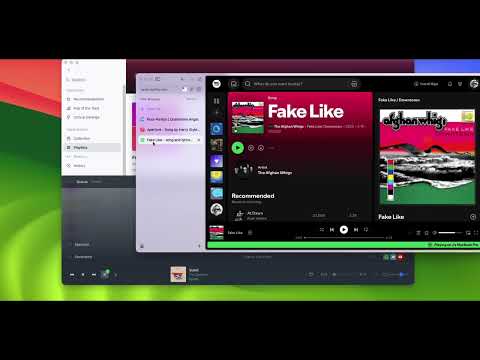
Send songs, albums, and playlists to Parachord — a desktop music player that unifies all of your music services, streams and local files into a single library. Browse any supported music site, click the Parachord icon, and instantly queue tracks or entire playlists for playback from *your* preferred music sources — all without leaving your browser. - One-click "Send to Parachord" from the popup or right-click context menu - Automatic playlist scraping — extracts full tracklists from Spotify, Apple Music, Bandcamp, YouTube, and SoundCloud - Smart page detection — badge indicator shows when you're viewing supported music content - Real-time connection status so you always know the desktop app is ready - Privacy First. All data stays on your computer — communication uses native messaging, a secure local-only channel - Zero analytics, zero tracking, zero telemetry No user accounts or sign-up required - No ads Requirements Parachord desktop app must be installed and running on your computer. Available for macOS, Windows, and Linux at parachord.com.
0 out of 5No ratings
Details
- Version0.4.0
- UpdatedMarch 14, 2026
- Offered byParachord
- Size49.84KiB
- LanguagesEnglish (United States)
- Developer
Email
jherskow@gmail.com - Non-traderThis developer has not identified itself as a trader. For consumers in the European Union, please note that consumer rights do not apply to contracts between you and this developer.
Privacy

This developer declares that your data is
- Not being sold to third parties, outside of the approved use cases
- Not being used or transferred for purposes that are unrelated to the item's core functionality
- Not being used or transferred to determine creditworthiness or for lending purposes
Support
For help with questions, suggestions, or problems, visit the developer's support site