

PaperTab

Overview
A hand-drawn new-tab wallpaper with your tasks and notes on it. Everything stays on your device.
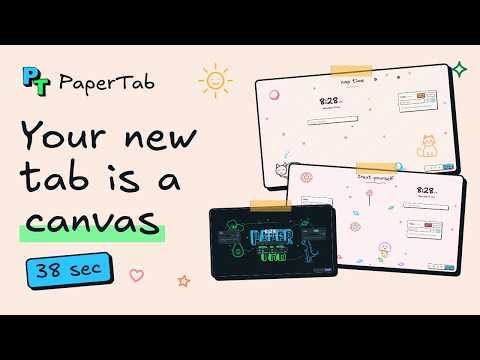
Your new tab is a sketchbook. PaperTab replaces Chrome's New Tab page with a hand-drawn canvas. Doodle something, hit Done, and it becomes your wallpaper, with your clock, search, quick links, tasks and notes sitting right on top. Every new tab opens to something you made. DRAW BY HAND • Rectangles, diamonds, ellipses, lines, arrows, freehand and text, all with a wobbly hand-drawn look • Colours, fills (solid, hatched, cross-hatched), dashed or dotted strokes and three drawing styles • Duplicate, flip, group, lock and reorder, with undo for everything • Drop in images, or a whole folder of them, and arrange them in a grid, masonry, row or column in one click • Add captions and source links to images 20 HAND-DRAWN WALLPAPERS Don't feel like drawing? Start from one of 20 cute wallpapers: sleepy cats, bunny gardens, sweet treats, rainy days, busy bees, puppies, cacti, penguins, pandas, frogs, tea time, beach days, space and ocean doodles, plus a weekly planner, an exam countdown and calm doodles. Each one arranges your widgets around its artwork, and the interface picks up its colours. WIDGETS THAT HELP • Clock and date • Search bar (Google, DuckDuckGo, Bing or Brave) • Quick links to your favourite sites • Tasks with due dates, drag to reorder, and an urgent / important priority matrix • Notes that fade away after a day, three days or a week, so your new tab never gets cluttered (pin the ones worth keeping) Turn on only the ones you want and drag each one wherever it fits. MAKE IT YOURS • Up to 5 boards, each with its own drawing, widgets and look • Light, dark or system theme • Export your art as PNG or SVG • Back up every board, image, task and note to a single .zip file, and restore it on another computer • Keyboard shortcuts for everything (press ? to see them) and a short guided tour PRIVATE BY DESIGN • No account and nothing to sign up for • No analytics, no tracking, no ads, and no PaperTab servers • Your boards, images, tasks and notes are stored on your own device • It only asks for storage permissions and cannot read the pages you visit PaperTab makes a few requests you'd expect: quick link icons come from Google's favicon service, searches go to the search engine you choose, and an image you drag in from another tab is downloaded from its website so it can be saved on your device. The full list is on our website. Website: https://papertab.pages.dev Help, bug reports and ideas: https://realmisadev.featurebase.app ``` **Official URL / Homepage:** https://papertab.pages.dev **Support URL:** https://realmisadev.featurebase.app
0 out of 5No ratings
Details
- Version1.0.0
- UpdatedNovember 15, 2026
- Offered byrealmisadev@gmail.com
- Size531KiB
- LanguagesEnglish
- Developer
Email
realmisadev@gmail.com - Non-traderThis developer has not identified itself as a trader. For consumers in the European Union, please note that consumer rights do not apply to contracts between you and this developer.
Privacy

This developer declares that your data is
- Not being sold to third parties, outside of the approved use cases
- Not being used or transferred for purposes that are unrelated to the item's core functionality
- Not being used or transferred to determine creditworthiness or for lending purposes
Support
For help with questions, suggestions, or problems, visit the developer's support site