

Paper spider

Overview
A spider walks to the passage you ask for in any PDF. Uses your own Claude API key.
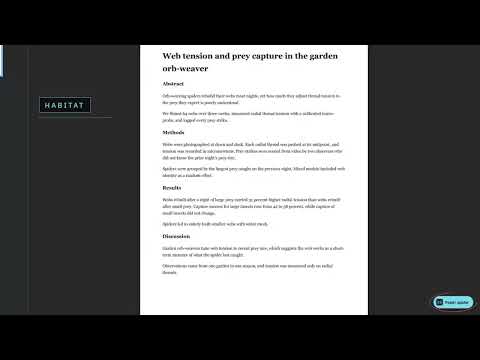
Ask a question about any PDF, and a small spider walks across the page to the passage that answers it. HOW IT WORKS • Open any PDF in Chrome. A round "Paper spider" button appears at the bottom right. • Press it. The PDF opens in the spider viewer. • Type what you are looking for, such as "What was the main result?" or "Where are the limitations?", and press Find it. • The quote shows at the bottom right away. The words light up on the page when the spider reaches them. • Find more looks for a different passage that answers the same question. WHAT YOU NEED • Your own Anthropic API key (from console.anthropic.com). Press "Claude key" once and paste it. • Without a key, text PDFs still work with simple word matching. Scanned PDFs and photos need the key, because Claude reads them as pictures. PRIVACY • Your key is stored only in this browser. • When you search, your question and the PDF text go straight from your browser to Anthropic. There is no other server. • No tracking, no analytics, no ads. OTHER • Dark page mode for reading at night. • Open PDFs or images from your computer with "Open a PDF or image". • Click anywhere on the page to call the spider over. • To read PDFs saved on your computer, turn on "Allow access to file URLs" for Paper spider in chrome://extensions. Paper spider is not made by or affiliated with Anthropic.
0 out of 5No ratings
Details
- Version1.0.0
- UpdatedOctober 5, 2026
- Offered byiyad.y.sultan
- Size404KiB
- LanguagesEnglish
- Developer
Email
isultan@khcc.jo - Non-traderThis developer has not identified itself as a trader. For consumers in the European Union, please note that consumer rights do not apply to contracts between you and this developer.
Privacy

Paper spider has disclosed the following information regarding the collection and usage of your data. More detailed information can be found in the developer's privacy policy.
Paper spider handles the following:
This developer declares that your data is
- Not being sold to third parties, outside of the approved use cases
- Not being used or transferred for purposes that are unrelated to the item's core functionality
- Not being used or transferred to determine creditworthiness or for lending purposes