

Panic Button

Présentation
Close all tabs with one click or shortcut, and restore them anytime.
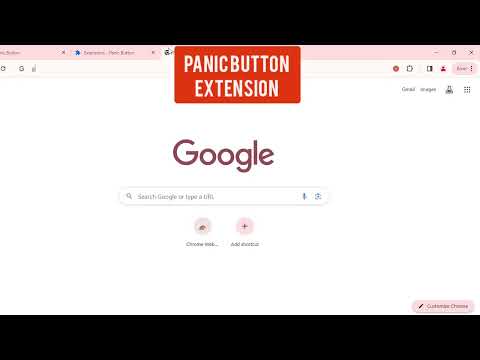
🔴 PANIC BUTTON Close all your tabs with one click or one shortcut, and bring them back whenever you need them. ━━━━━━━━━━━━━━━━━━━━ 😰 WHEN YOU NEED IT Someone walks up behind you. A screen share starts unexpectedly. You just need a clean browser, right now. Panic Button closes all your open tabs with one click or one keyboard shortcut and takes you to a safe page of your choice. ✅ Nothing is lost. Before closing, Panic Button saves your tabs. When the moment has passed, click Restore tabs and your session comes back, including pinned tabs. ━━━━━━━━━━━━━━━━━━━━ ✨ FEATURES 🆓 FREE • One-click panic: close all tabs instantly from the toolbar button • Keyboard shortcut: trigger it without touching the mouse. Default is Ctrl+Shift+Y (Cmd+Shift+Y on Mac), and you can change it to any combination from the settings page • Restore tabs: reopen your last closed session with one button • After your tabs close, the extension opens our support page ⭐ PRO • Everything in Free, plus: • Custom safe page: choose the page that opens after your tabs close, such as a search engine, a work site, or a blank page • Clear today's history (optional): remove today's browsing history when you panic. Off by default • One-time payment, no subscription 🔒 FOR EVERYONE Lightweight. No account. No sign-up. No ads. ━━━━━━━━━━━━━━━━━━━━ 🚀 HOW TO USE IT 1. Pin Panic Button to your toolbar 2. Open the settings and pick your safe page and shortcut 3. Click the button or press your shortcut to close all tabs 4. Click Restore tabs when you want your session back ━━━━━━━━━━━━━━━━━━━━ ℹ️ GOOD TO KNOW • If you turn on "Clear today's history", Chrome can't recover that history, so use it only when you want that • Tabs saved for restore stay on your computer Feedback and support: if something isn't working or you'd like a new feature, contact us at contactkeralastoreonline@gmail.com. We read every review. Support the developer by buying the pro features for $1 at link below https://checkout.dodopayments.com/buy/pdt_0NnztRHsi5u42mcJFZP9v?quantity=1 Panic Button 2.7 Save and reopen tabs closed by Panic Button. Keep pinned tabs and selected websites open during cleanup. Configure a custom destination page and today’s history cleanup with a valid license. View and change the Panic Button keyboard shortcut; use the restore shortcut to reopen saved tabs. Updated the settings page with a refreshed design and a support link.
2,2 sur 539 avis
Détails
- Version2.7
- Dernière mise à jour21 novembre 2026
- FonctionnalitésPropose des achats via l'application
- Taille14.62KiB
- LanguesEnglish
- DéveloppeurSite Web
E-mail
contactkeralastoreonline@gmail.com - Non-professionnelCe développeur ne s'est pas identifié comme professionnel. Pour les consommateurs de l'Union européenne, veuillez noter qu'il est possible que les droits des consommateurs ne s'appliquent pas aux contrats entre vous et ce développeur.
Confidentialité

Ce développeur déclare que vos données :
- Ne seront pas vendues à des tiers en dehors des cas d'utilisation approuvés.
- Ne seront ni utilisées ni transférées à des fins sans rapport avec la fonctionnalité de base de l'article.
- Ne seront ni utilisées ni transférées pour déterminer votre solvabilité ou en vue de vous proposer un prêt.
Assistance
Pour obtenir de l'aide concernant des questions, des suggestions ou des problèmes, veuillez ouvrir cette page dans votre navigateur pour ordinateur