Panoramica
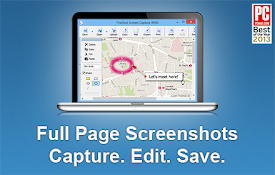
Cattura intere pagine web con un clic. Salva in PNG, JPEG o WebP.
Capture full-page screenshots of entire web pages in one click. Panda Screenshoter automatically scrolls the page and stitches everything into a single image, so you can save long articles, documentation, dashboards, chats, landing pages, and reports without manual stitching. Key features • Full-page screenshot capture with auto-scrolling • Capture the entire webpage, not just the visible area • Save screenshots as PNG, JPEG, or WebP • Adjust image quality and scale • Progress indicator on the extension icon • Local file support • Custom screenshot file name template • Custom save path • Screenshot history for your latest captures Great for • Long articles, forum threads, and social feeds • Documentation and knowledge base pages • Mockups, landing pages, and QA checks • Analytics dashboards and reports • Conversation and chat archives How it works Panda Screenshoter scrolls the page, captures it frame by frame, and stitches the result into one image automatically. Privacy All capture and image processing happen locally in your browser. Page content is not sent to external servers. No hidden analytics. No personal data collection. Tips • Start a capture from the extension icon or the right-click context menu • Keep the tab active during capture • Choose format, quality, and scale in Settings Change Log • 0.4.0 – 08 Mar 2026 – New screenshot capture engine: capture is now several times faster. • 0.3.0 – 06 Mar 2026 – Screenshot filename template settings; screenshot save path settings; screenshot history (shows the last 20 screenshots). • 0.2.0 – 02 Mar 2026 – The screenshot creation progress indicator was moved from the popup banner to the extension icon; fixes for fixed headers. • 0.1.0 – 26 Oct 2025 – First release :)
Dettagli
- Versione0.4.0
- Ultimo aggiornamento:9 marzo 2026
- Dimensioni260KiB
- Lingue47 lingue
- SviluppatoreSito web
Email
dev@maxlozovsky.ru - Non commercianteQuesto sviluppatore non si è identificato come commerciante. Per quanto riguarda i consumatori nell'Unione Europea, tieni presente che i diritti del consumatore non sono applicabili ai contratti stipulati tra te e questo sviluppatore.
Privacy

Questo sviluppatore dichiara che i tuoi dati:
- Non vengono venduti a terze parti, se non per i casi d'uso approvati.
- Non vengono usati o trasferiti per finalità non correlate alle funzionalità principali dell'elemento.
- Non vengono usati o trasferiti per stabilire l'affidabilità creditizia o per finalità di prestito.