Item logo image for Palette for Canvas LMS: Bulk Edit + Accessibility

Palette for Canvas LMS: Bulk Edit + Accessibility

Tamitu Solutions LLC
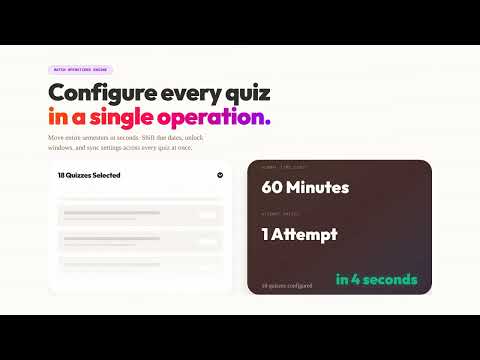
Item media 6 (screenshot) for Palette for Canvas LMS: Bulk Edit + Accessibility
Item video thumbnail
Item media 2 (screenshot) for Palette for Canvas LMS: Bulk Edit + Accessibility
Item media 3 (screenshot) for Palette for Canvas LMS: Bulk Edit + Accessibility
Item media 4 (screenshot) for Palette for Canvas LMS: Bulk Edit + Accessibility
Item media 5 (screenshot) for Palette for Canvas LMS: Bulk Edit + Accessibility
Item media 6 (screenshot) for Palette for Canvas LMS: Bulk Edit + Accessibility
Item video thumbnail
Item media 2 (screenshot) for Palette for Canvas LMS: Bulk Edit + Accessibility
Item media 3 (screenshot) for Palette for Canvas LMS: Bulk Edit + Accessibility
Item media 4 (screenshot) for Palette for Canvas LMS: Bulk Edit + Accessibility
Item media 5 (screenshot) for Palette for Canvas LMS: Bulk Edit + Accessibility
Item media 6 (screenshot) for Palette for Canvas LMS: Bulk Edit + Accessibility

Overview

Canvas LMS toolkit for instructors: batch edit content, shift dates, run accessibility fixes, and execute workflows with AI.

Canvas LMS bulk editing and accessibility remediation for instructors, instructional designers, and course admins. Palette combines three workflows in one Chrome extension: - Batch Operations Engine: bulk update assignments/pages/discussions, run find and replace, shift dates for new terms, and publish/unpublish in bulk. - In-Editor Accessibility Toolbar: scan Canvas RCE content, prioritize issues by severity, run Fix All for supported checks, and review Diff Preview before applying. - AI Command Center (Pro): describe the outcome in plain language and execute multi-step Canvas workflows with reviewable results. Common workflows Palette solves: - Canvas bulk edit assignments and pages - Canvas find and replace across course content - Canvas date shift for term rollover - Canvas accessibility checker and guided fixes - Canvas AI alt text generation (optional Pro feature) How it works: 1) Install Palette from the Chrome Web Store 2) Open any Canvas course 3) Use the side panel to run batch operations, accessibility scans, or AI workflows 4) Review changes and apply with snapshots/activity logs for rollback confidence Why teams choose Palette: - Built for instructor and instructional design workflows (not student theming) - Uses your existing Canvas session (no API token setup required) - Optional AI features are request-based, not always-on background processing Privacy and security: - Core Canvas actions run from your browser to your Canvas instance - Optional account/AI/analytics features use Supabase, Stripe, and OpenAI only for requested capabilities - No ads and no sale of personal data Pricing: - Free: Explore tools, scans/reports, and previews - Plus ($14.99/mo with free trial): Full batch editing, date shift, find/replace, and guided accessibility fixes - Pro ($24.99/mo with free trial): Everything in Plus plus AI Command Center, AI alt text, cross-course workflows, and priority support Requirements: - Google Chrome (114+) - Canvas LMS account (*.instructure.com or *.inscloudgate.net) - Instructor, TA, or instructional designer permissions Support: https://workwithpalette.com

Details

  • Version
    1.1.1
  • Updated
    March 3, 2026
  • Size
    1.35MiB
  • Languages
    English
  • Developer
    Tamitu Solutions LLC
    307 East 6th Street Davenport, IA 52803 US
    Website
    Email
    info@workwithpalette.com
    Phone
    +1 870-897-4589
  • Trader
    This developer has identified itself as a trader per the definition from the European Union and committed to only offer products or services that comply with EU laws.
  • D-U-N-S
    140965031

Privacy

Manage extensions and learn how they're being used in your organization

Palette for Canvas LMS: Bulk Edit + Accessibility has disclosed the following information regarding the collection and usage of your data. More detailed information can be found in the developer's privacy policy.

Palette for Canvas LMS: Bulk Edit + Accessibility handles the following:

Personally identifiable information
Authentication information
Website content

This developer declares that your data is

  • Not being sold to third parties, outside of the approved use cases
  • Not being used or transferred for purposes that are unrelated to the item's core functionality
  • Not being used or transferred to determine creditworthiness or for lending purposes

Support

For help with questions, suggestions, or problems, visit the developer's support site

Related

Whisk Automation for bulk image generation & Auto prompt for Whisk AI

4.5

Bulk AI image generation for Google Whisk AI. Auto prompt processing & local asset capture to scale your synthetic imagery workflow.

Enhanced Canvas LMS To Do (Ungraded List)

5.0

Enhanced Canvas LMS To Do list with ungraded submissions, missing work tracking, bulk messaging, and Excel export.

Recraft AI Turbo

0.0

Supercharge Recraft.ai: prompt queues, variations, and automation. Enhance your workflow directly on site without API keys.

NDT Snap — Screenshot Pro

0.0

Precision screenshots for developers & creators: viewport, selection, element, full page + inline editor & watermark.

Doc Edit Replay - AI Detector & Originality Checker for Google Docs

5.0

The ultimate revision history tool for Google Docs. Replay edits & use AI to verify originality and detect AI-written content.

DeepMaker - AI Image Editing and Creative Tools

5.0

Advanced AI tools for image editing, enhancement, and generation. Create, edit, and transform images with cutting-edge AI models.

Meta AI Media Automator – Batch Image & Video Generator

2.3

Automate Meta AI batch processing: create images, generate videos, or animate images with prompts and timed scheduling.

Answerly AI — Canvas Homework & Quiz Solver

5.0

AI-powered homework helper with quiz hints, answers, and a screenshot tool for Canvas LMS and other platforms.

AI Flow Editor for Power Automate (by Nodient)

5.0

Build your Power Automate workflows with AI. Advanced JSON editor with IntelliSense, diff view, run history, and MCP.

Screenshot Capture & Editor

5.0

Professional screenshot tool with 6 capture modes, advanced editing, and smart features for developers and designers.

Ella: AI Creator Workspace & Video Editor

5.0

Generate, edit, and export video using the best AI models without juggling tabs, tools, or workflows.

UpKit: Upwork Job Alerts

5.0

Upwork toolkit: AI proposal generator, instant job alerts, proposal scoring & analysis, ROI tracker. Save connects, win more jobs.

Whisk Automation for bulk image generation & Auto prompt for Whisk AI

4.5

Bulk AI image generation for Google Whisk AI. Auto prompt processing & local asset capture to scale your synthetic imagery workflow.

Enhanced Canvas LMS To Do (Ungraded List)

5.0

Enhanced Canvas LMS To Do list with ungraded submissions, missing work tracking, bulk messaging, and Excel export.

Recraft AI Turbo

0.0

Supercharge Recraft.ai: prompt queues, variations, and automation. Enhance your workflow directly on site without API keys.

NDT Snap — Screenshot Pro

0.0

Precision screenshots for developers & creators: viewport, selection, element, full page + inline editor & watermark.

Doc Edit Replay - AI Detector & Originality Checker for Google Docs

5.0

The ultimate revision history tool for Google Docs. Replay edits & use AI to verify originality and detect AI-written content.

DeepMaker - AI Image Editing and Creative Tools

5.0

Advanced AI tools for image editing, enhancement, and generation. Create, edit, and transform images with cutting-edge AI models.

Meta AI Media Automator – Batch Image & Video Generator

2.3

Automate Meta AI batch processing: create images, generate videos, or animate images with prompts and timed scheduling.

Answerly AI — Canvas Homework & Quiz Solver

5.0

AI-powered homework helper with quiz hints, answers, and a screenshot tool for Canvas LMS and other platforms.

Google apps
