


Overview
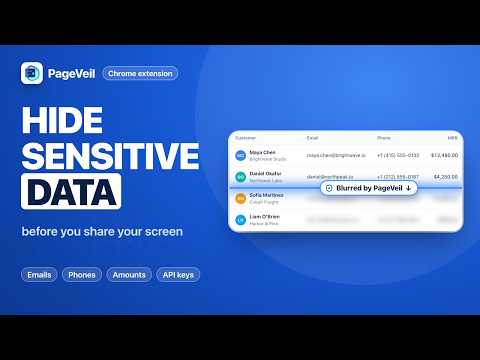
Blur, hide, or replace sensitive data on any webpage before screen sharing, demos, recordings, and screenshots.
Blur or hide customer names, emails, API keys, and other sensitive information on any webpage before you share your screen, record a demo, or take a screenshot. Click, drag, or select what to cover — PageVeil saves it and re-applies it automatically on your next visit. One-click Demo Mode detects 40+ types of sensitive data at once, and realistic fake data can stand in for real values. ✦ FEATURES - Click Blur: click any text, image, input, or widget to cover it. - Region: drag a box over charts, canvases, or videos. - Selection: hide only the words or numbers you highlight; the rest stays readable. - Scan: detects 40+ types of sensitive data, such as emails, phone numbers, credit card numbers, and API keys. - Demo Mode: hides everything detected on the page in one click. - Fake data: swaps detected emails, phone numbers, and amounts for realistic placeholders, so the page still looks real. - Saved rules: match the page, the whole site, or the exact URL, and come back after reloads and in-app navigation. - Tab Title: masks the page title and favicon in the browser tab. - Blur Strength: Subtle, Balanced, or Opaque. - Hover over a protected item to remove it, or use Clear All. ✦ HOW TO USE 1. Click the PageVeil icon to open the side panel. 2. Pick a tool, then click, drag, or select what to hide. 3. Done. It's saved for your next visit. ✦ PRIVACY Detection and blurring run entirely in your browser. Page content, screenshots, and keystrokes are never uploaded, and saved rules stay on your device. ✦ SUPPORT help@pageveil.net
0 out of 5No ratings
Details
- Version1.8.0
- UpdatedOctober 15, 2026
- Size503KiB
- Languages10 languages
- DeveloperWebsite
Email
lysddp@gmail.com - Non-traderThis developer has not identified itself as a trader. For consumers in the European Union, please note that consumer rights do not apply to contracts between you and this developer.
Privacy

This developer declares that your data is
- Not being sold to third parties, outside of the approved use cases
- Not being used or transferred for purposes that are unrelated to the item's core functionality
- Not being used or transferred to determine creditworthiness or for lending purposes
Support
For help with questions, suggestions, or problems, visit the developer's support site