

PageSnap - Viso puslapio ekrano nuotrauka

Apžvalga
Viso puslapio nuotraukos, piešimas ir redagavimas gyvai bet kurioje svetainėje. Suliejimas, OCR, PDF, Word, Excel.
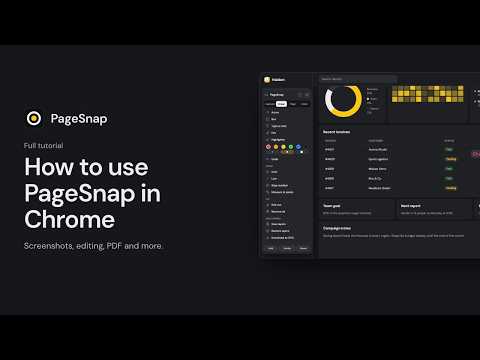
Take a full page screenshot in one click. PageSnap captures a whole web page the way you actually see it, then lets you edit, blur, copy and export the result without leaving your browser. CAPTURE • Full page, visible area, or drag to select any part of the page • Fixed and sticky headers appear once instead of repeating down the image • Waits for lazy-loaded images, web fonts and animations to finish • Captures long chats and web apps that scroll inside a panel • Captures PDFs opened in Chrome • Keyboard shortcuts (Alt+Shift+P, V and S), a right-click menu and an optional start timer EDIT • Arrows, boxes, text in the page's own font, highlights, emoji and pictures • Numbered steps and a spotlight for tutorials and bug reports • Blur, pixelate or cover private details, plus one-click auto-blur for emails, phone numbers and card numbers • Crop, undo and redo EXTRACT • Copy text straight from the screenshot, including Arabic and other right-to-left languages • Built-in OCR (English and Arabic) for pictures and scans • Export to Word (.docx) and tables to Excel (.xlsx) • Save the original images from a page as a zip EXPORT • PNG, JPG, PDF (one long page, A4 or Letter) and a scrolling GIF • Copy to the clipboard, or save to a folder you choose • Add several pages into one document PRIVATE BY DESIGN • No account, no analytics and no uploads. Capture, editing and OCR happen on your computer. • Light and dark themes, in English or Arabic. Questions or ideas? Write to us at SUPPORT-EMAIL or visit WEBSITE-URL. **Detailed description (Arabic)** لقطة شاشة للصفحة كاملة بنقرة واحدة. يلتقط PageSnap صفحة الويب كما تراها فعلًا، ثم يتيح لك تحريرها وتمويه البيانات الخاصة ونسخ النص وتصديرها دون مغادرة المتصفح. الالتقاط • الصفحة كاملة، أو المنطقة المرئية، أو اسحب لتحديد أي جزء • تظهر الرؤوس الثابتة مرة واحدة بدل تكرارها • ينتظر تحميل الصور والخطوط والحركات • يلتقط المحادثات الطويلة وتطبيقات الويب ذات التمرير الداخلي • يلتقط ملفات PDF المفتوحة في Chrome • اختصارات لوحة المفاتيح وقائمة النقر بالزر الأيمن ومؤقت اختياري التحرير • أسهم ومربعات ونصوص بخط الصفحة نفسه وتمييز وإيموجي وصور • أرقام خطوات وتسليط ضوء للشروحات • تمويه أو تبكسل أو تغطية البيانات الخاصة، مع تمويه تلقائي للبريد والأرقام وبطاقات الدفع الاستخراج • انسخ النص مباشرة من اللقطة، بما فيه العربية • التعرف على النص (OCR) بالإنجليزية والعربية للصور والمستندات الممسوحة • تصدير إلى Word وExcel وحفظ الصور الأصلية التصدير • PNG وJPG وPDF وGIF متحرك • نسخ إلى الحافظة أو الحفظ في مجلد تختاره • دمج عدة صفحات في مستند واحد خصوصية تامة • بلا حساب ولا تحليلات ولا رفع للملفات. كل شيء يعمل على جهازك. • مظهر فاتح وداكن، بالإنجليزية أو العربية.
Išsami informacija
- Versija1.3.7
- Atnaujinta2026 m. lapkričio 16 d.
- Dydis20.95MiB
- KalbosKalbų: 53
- KūrėjasAthul HareendranSvetainė
Thrikkunnappuzha P.O, Alappuzha, Kerala Valsala Bhavanam Karthikappally, Kerala 690515 INEl. paštas
athulhareendran@gmail.comTelefonas
+91 94460 43053 - Komercinės veiklos subjektasPagal šią Europos Sąjungos pateiktą apibrėžtį šis kūrėjas prisistato kaip prekiautojas ir įsipareigoja siūlyti tik tuos produktus ar paslaugas, kurie atitinka ES įstatymus.
Privatumas

Šis kūrėjas pareiškia, kad jūsų duomenys yra
- Neparduodama trečiosioms šalims su patvirtintais naudojimo atvejais nesusijusiais tikslais
- nenaudojami ir neperkeliami su elemento pagrindinėmis funkcijomis nesusijusiais tikslais;
- nenaudojami ir neperkeliami, siekiant nustatyti kreditingumą, arba skolinimo tikslais.
Palaikymas
Jei turite klausimų, pasiūlymų arba problemų, apsilankykite kūrėjo palaikymo svetainėje.


