


Pangkalahatang-ideya
Screenshot ng buong pahina, live na pag-drawing at pag-edit sa anumang site. Blur, OCR, PDF, Word, Excel.
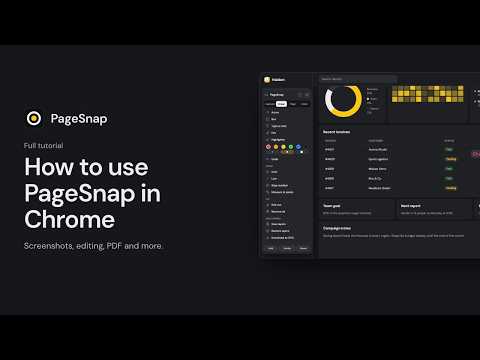
Take a full page screenshot in one click. PageSnap captures a whole web page the way you actually see it, then lets you edit, blur, copy and export the result without leaving your browser. CAPTURE • Full page, visible area, or drag to select any part of the page • Fixed and sticky headers appear once instead of repeating down the image • Waits for lazy-loaded images, web fonts and animations to finish • Captures long chats and web apps that scroll inside a panel • Captures PDFs opened in Chrome • Keyboard shortcuts (Alt+Shift+P, V and S), a right-click menu and an optional start timer EDIT • Arrows, boxes, text in the page's own font, highlights, emoji and pictures • Numbered steps and a spotlight for tutorials and bug reports • Blur, pixelate or cover private details, plus one-click auto-blur for emails, phone numbers and card numbers • Crop, undo and redo EXTRACT • Copy text straight from the screenshot, including Arabic and other right-to-left languages • Built-in OCR (English and Arabic) for pictures and scans • Export to Word (.docx) and tables to Excel (.xlsx) • Save the original images from a page as a zip EXPORT • PNG, JPG, PDF (one long page, A4 or Letter) and a scrolling GIF • Copy to the clipboard, or save to a folder you choose • Add several pages into one document PRIVATE BY DESIGN • No account, no analytics and no uploads. Capture, editing and OCR happen on your computer. • Light and dark themes, in English or Arabic. Questions or ideas? Write to us at SUPPORT-EMAIL or visit WEBSITE-URL. **Detailed description (Arabic)** لقطة شاشة للصفحة كاملة بنقرة واحدة. يلتقط PageSnap صفحة الويب كما تراها فعلًا، ثم يتيح لك تحريرها وتمويه البيانات الخاصة ونسخ النص وتصديرها دون مغادرة المتصفح. الالتقاط • الصفحة كاملة، أو المنطقة المرئية، أو اسحب لتحديد أي جزء • تظهر الرؤوس الثابتة مرة واحدة بدل تكرارها • ينتظر تحميل الصور والخطوط والحركات • يلتقط المحادثات الطويلة وتطبيقات الويب ذات التمرير الداخلي • يلتقط ملفات PDF المفتوحة في Chrome • اختصارات لوحة المفاتيح وقائمة النقر بالزر الأيمن ومؤقت اختياري التحرير • أسهم ومربعات ونصوص بخط الصفحة نفسه وتمييز وإيموجي وصور • أرقام خطوات وتسليط ضوء للشروحات • تمويه أو تبكسل أو تغطية البيانات الخاصة، مع تمويه تلقائي للبريد والأرقام وبطاقات الدفع الاستخراج • انسخ النص مباشرة من اللقطة، بما فيه العربية • التعرف على النص (OCR) بالإنجليزية والعربية للصور والمستندات الممسوحة • تصدير إلى Word وExcel وحفظ الصور الأصلية التصدير • PNG وJPG وPDF وGIF متحرك • نسخ إلى الحافظة أو الحفظ في مجلد تختاره • دمج عدة صفحات في مستند واحد خصوصية تامة • بلا حساب ولا تحليلات ولا رفع للملفات. كل شيء يعمل على جهازك. • مظهر فاتح وداكن، بالإنجليزية أو العربية.
Mga Detalye
- Bersyon1.3.5
- Na-updateNobyembre 9, 2026
- Laki20.95MiB
- Mga Wika53 (na) wika
- DeveloperAthul HareendranWebsite
Thrikkunnappuzha P.O, Alappuzha, Kerala Valsala Bhavanam Karthikappally, Kerala 690515 INEmail
athulhareendran@gmail.comTelepono
+91 94460 43053 - TraderTinukoy ng developer na ito ang kanyang sarili bilang trader ayon sa kahulugan mula sa European Union at nakatuon na mag-alok lang ng mga produkto o serbisyo na sumusunod sa mga batas ng EU.
Privacy

Ipinapahayag ng developer na ito na ang iyong data ay
- Hindi ibinebenta sa mga third party na hindi kabilang sa mga naaprubahang sitwasyon ng paggamit
- Hindi ginagamit o inililipat para sa mga layuning hindi nauugnay sa pangunahing functionality ng item
- Hindi ginagamit o inililipat para tukuyin ang pagiging creditworthy o para sa mga layunin ng pagpapautang
Suporta
Para sa tulong sa mga tanong, suhestyon, o problema, bisitahin ang site ng suporta ng developer


