

PageMonster — Capture Screens & Extract Design Systems for AI

Overview
Capture full pages or areas, scan design tokens, and extract design systems for AI. Reliable capture with no extra permissions!
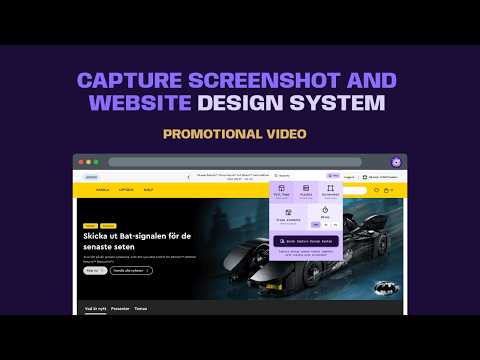
Capture full page screenshot and Extract any site's colors, fonts, spacing & components in one click and send to AI like Lovable. The most powerful, frictionless screen capture and design analysis extension for Chrome. Pagemonster is a professional-grade tool designed to grab interface data instantly, audit your UI, and bridge the gap between visual feedback and AI. Capture & Annotate: Communicate visual feedback with perfect clarity and export presentation-ready graphics without leaving your browser. Deep Design Audits: Run a complete design scan on any webpage to instantly reveal your design system health score and a comprehensive accessibility audit. Direct AI Integration: Seamlessly send your captured screenshots and an auto-generated design.md file directly to AI for rapid analysis, coding, or iteration. To screenshot an entire page, Pagemonster must scroll through each visible section to assemble the pieces, so please be patient during capture. For massively long pages that exceed Chrome's single-image storage limits, the extension will notify you and smartly split the capture into high-quality images across separate tabs. Enterprise-Grade Privacy Capture history is never saved in any database. Pagemonster guarantees complete privacy and security, making it the perfect capture and audit tool for enterprise organizations. 📸 Core Capture Tools (Free Forever) Three Capture Modes: Choose exactly what you need with a single click: Full Page (auto-scrolls to capture everything), Visible Viewport, or Selected Area crosshair. Precision Delay Timer: Capture tricky hover states, tooltips, and dropdown menus using the built-in 3-second or 5-second delay. Frictionless Export: Save your captures locally to your device instantly. PNG and JPG Export Erase elements in the browser before taking a capture. Now you can select and remove stuff before you take a snapshot. Perfect if you want to hide sensitive data. 🎨 Design System Token Extraction (Free Forever) Pagemonster’s design extraction engine pulls live design tokens and structural styles directly from the page’s code, turning rendered pixels into actionable developer data. Extracted Design Elements Typography & Hierarchy: Font families, weights, font sizes, line heights, and letter spacing across all heading and body styles. Color Palettes & Contrast: Primary, background, and accent hex/RGB values, alongside automated WCAG contrast ratios. Spacing & Layout: Padding scales, margin grids, border radii, and container breakpoints. Asset & Component Styles: Shadows, border strokes, transitions, and icon SVGs. 👑 Pagemonster Pro Unlock advanced framework integrations, deep UX analysis, and a professional-grade editing suite: Powerful Annotation Editor: Manipulate your captures instantly with a robust set of tools to crop, redact sensitive data, highlight UI flaws, and draw visual feedback directly on the screen before exporting. PDF Export: Generate presentation-ready, multi-page PDF documents from your captures and design audits for seamless client reviews and handoffs. shadcn/ui Export: Translate extracted UI elements directly into ready-to-use shadcn components. Tailwind Config: Generate auto-mapped color, typography, and spacing objects to drop straight into your tailwind.config.js. Figma Integration: Push extracted design tokens directly into Figma to sync live web styles with your design workspace. Design System Health Score: Instantly evaluate the consistency, token usage, and structural integrity of the target UI. Accessibility Audit: Run comprehensive automated checks for WCAG contrast compliance and accessible markup structures. Perfect For: Designers & UX Architects: Capturing inspiration, documenting design systems, and sharing pixel-perfect feedback. Developers & QA: Easily documenting bugs, capturing full-page architectures, and highlighting specific code blocks. Product Managers: Creating quick visual tutorials, release notes, and stakeholder presentations.
5 out of 51 rating
Details
- Version2.2.5
- UpdatedSeptember 18, 2026
- FeaturesOffers in-app purchases
- Size2.98MiB
- Languages14 languages
- DeveloperWebsite
Email
sheepforestinvest@gmail.com - Non-traderThis developer has not identified itself as a trader. For consumers in the European Union, please note that consumer rights do not apply to contracts between you and this developer.
Privacy

This developer declares that your data is
- Not being sold to third parties, outside of the approved use cases
- Not being used or transferred for purposes that are unrelated to the item's core functionality
- Not being used or transferred to determine creditworthiness or for lending purposes
Support
For help with questions, suggestions, or problems, visit the developer's support site