

Page to AI
2 ratings
)
Overview
Extract webpage content and send it to an AI chat as a file attachment
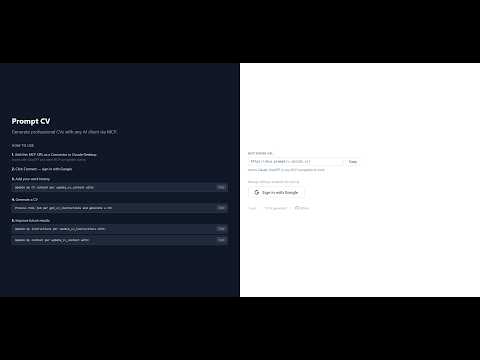
Page to AI grabs the page you're currently viewing and forwards it to your favorite AI chat as a file attachment, with a prompt of your choice. It's the easiest way to put a webpage in front of an AI — especially pages an AI can't reach on its own, like job postings, internal dashboards, or anything behind a login. ## Why use it AI agents are great at analyzing web content, but they can't browse pages that require authentication. Page to AI bridges that gap: you stay logged in, the extension extracts the page, and your AI gets the full content as a clean file (HTML or Markdown) along with a custom prompt — no copy-paste, no manual cleanup. Originally built to work with the Prompt CV project (https://www.youtube.com/watch?v=cdh-XTLEOfs) for generating tailored CVs from job descriptions, but the whole pipeline is configurable, so it works just as well with any other AI workflow. ## Features • One-click extraction — click the toolbar icon and the page is sent • Two extraction modes — full HTML (preserves structure) or smart Markdown (Readability-cleaned, article-only) • File attachment — your AI gets a clean .html or .md file, not a giant pasted blob • Custom prompt template — set the instructions you want sent every time • Auto-submit (optional) — picks up after the upload finishes and clicks Send for you • Profile system — built-in presets for Claude and ChatGPT, plus add your own for any AI • Visual element picker — point and click to set CSS selectors when a site changes its layout • Fully customizable — target URL, prompt, selectors, and submit behavior are all configurable ## Use cases • Generate tailored CVs from job postings (works with the Prompt CV MCP server) • Summarize articles, documentation, or long pages • Analyze gated content from job boards, intranets, or subscription sites • Translate, critique, or restructure any webpage with a custom prompt • Build your own AI workflows around any site you can view in Chrome ## Privacy Page to AI runs entirely in your browser. The extension reads the active tab only when you click it, sends the content directly to the AI URL you've configured, and stores nothing on any external server. Your settings sync via Chrome Sync, just like your bookmarks.
3.5 out of 52 ratings
Details
- Version1.4.0
- UpdatedApril 22, 2026
- Offered byrichard.sallai.dev
- Size61.02KiB
- LanguagesEnglish (United States)
- Developer
Email
richard.sallai.dev@gmail.com - Non-traderThis developer has not identified itself as a trader. For consumers in the European Union, please note that consumer rights do not apply to contracts between you and this developer.
Privacy

Page to AI has disclosed the following information regarding the collection and usage of your data. More detailed information can be found in the developer's privacy policy.
Page to AI handles the following:
This developer declares that your data is
- Not being sold to third parties, outside of the approved use cases
- Not being used or transferred for purposes that are unrelated to the item's core functionality
- Not being used or transferred to determine creditworthiness or for lending purposes
Support
For help with questions, suggestions, or problems, please open this page on your desktop browser