


Panoramica
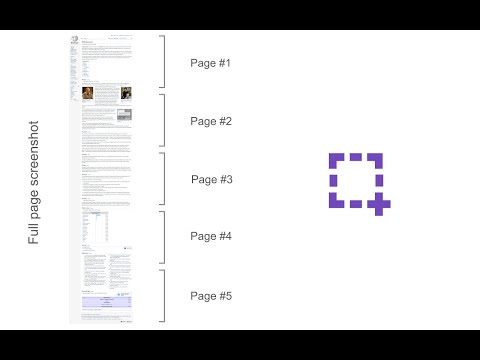
Take a screenshot from the entire website with just one click!
Page Screenshot is an addon that enables you to capture a full-page screenshot from any desired website. Please click on the toolbar button (or press Alt+Shift+D combination) to capture the screenshot. You can adjust the screenshot image format from the options page. Moreover, image quality and the time delay between multiple screenshots are also customizable. The screenshot will be saved to the default download location in your browser. Please note, to change the download location, visit the settings page in your browser. Note 1: you need to "reload" all opened tabs before using the addon. Note 2: for long-page websites, Page Screenshot automatically scrolls the page from top to bottom (vertical scroll) to capture the screenshot. But, it does not have a horizontal scroll in case the page is too wide. To report bugs, please fill out the bug report form on the addon's homepage (https://mybrowseraddon.com/page-screenshot.html).
3,9 su 57 valutazioni
Dettagli
- Versione0.1.8
- Ultimo aggiornamento:16 dicembre 2025
- Elemento offerto daMeryDev
- Dimensioni26.52KiB
- LingueEnglish
- Sviluppatore
Email
schomery.developer@gmail.com - Non commercianteQuesto sviluppatore non si è identificato come commerciante. Per quanto riguarda i consumatori nell'Unione Europea, tieni presente che i diritti del consumatore non sono applicabili ai contratti stipulati tra te e questo sviluppatore.
Privacy

Questo sviluppatore dichiara che i tuoi dati:
- Non vengono venduti a terze parti, se non per i casi d'uso approvati.
- Non vengono usati o trasferiti per finalità non correlate alle funzionalità principali dell'elemento.
- Non vengono usati o trasferiti per stabilire l'affidabilità creditizia o per finalità di prestito.
Assistenza
Per ricevere assistenza in merito a domande, suggerimenti o problemi, visita il sito di assistenza dello sviluppatore