


概述
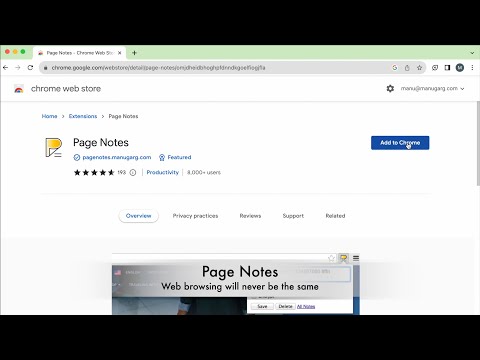
Sticky notes for any web page or whole website. Tag, search, and encrypt your notes. Sync privately to your own Google Drive.
Page Notes attaches a sticky note to any web page. Come back later and the note is right there — no searching, no switching tabs. Remember login IDs, tracking numbers, membership numbers, project context, or anything you'd otherwise forget — exactly where you need it. NO ACCOUNT, NO THIRD-PARTY SERVER Your notes live in your browser. If you enable sync, they go to your own Google Drive — not to a Page Notes server. There is no analytics, no ads, no tracking. KEY FEATURES • Page-level notes for one exact URL, or site-level notes for every page on a website • Organize with #tags and search all your notes instantly on the All Notes page • Private sync to your own Google Drive across devices • Client-side encryption with a passphrase that is never stored anywhere • Lock a note to protect it from accidental edits • CSV backup and restore from the options page • Side panel: keep your notes open in a panel while you browse • Keyboard shortcuts: Alt+P (popup), Alt+O (all notes), Alt+S (side panel) • Works on Chrome, Edge, Brave, Opera, and other Chromium browsers — plus Firefox • Mobile: view and edit notes in the web app at pagenotes.app WHY USERS CHOOSE PAGE NOTES • Simple — click the icon, type, done. No setup, no learning curve. • Private — no middleman between you and your data. • Reliable — notes are stored locally first, so they're available even offline. • Yours forever — free, no subscriptions. PERFECT FOR Login IDs and account details on banking, email, and SaaS sites • Tracking and order numbers • Membership and frequent flyer numbers • Password hints (you decide what to store) • Project context and to-dos tied to a specific page • Episode numbers and personal reference info PRIVACY DETAILS When Google Drive sync is enabled, notes are stored as a single file (pagenotes.data) in your own Drive, accessed with the drive.file scope — the extension can only touch that one file. Encrypted notes are unreadable without the passphrase. SUPPORT & LINKS • FAQ: pagenotes.manugarg.com/faq • Bugs & feature requests: github.com/manugarg/pagenotes-issues • Website: pagenotes.manugarg.com • Firefox Add-on: addons.mozilla.org/en-US/firefox/addon/page-notes-web-ext • Privacy Policy: pagenotes.manugarg.com/privacy.html
4.6 星(5 星制)247 个评分
详情
隐私权

该开发者已声明,您的数据:
- 不会因未获批准的用途出售给第三方
- 不会为实现与产品核心功能无关的目的而使用或转移
- 不会为确定信用度或放贷目的而使用或转移
支持
若有任何疑问、建议或问题,请访问开发者的支持网站