

Page Notes – Sticky Notes for Web Pages

Overview
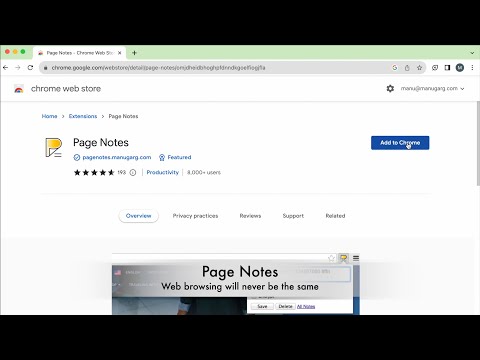
Sticky notes for any web page or whole website. Tag, search, and encrypt your notes. Sync privately to your own Google Drive.
Page Notes attaches a sticky note to any web page. Come back later and the note is right there — no searching, no switching tabs. Remember login IDs, tracking numbers, membership numbers, project context, or anything you'd otherwise forget — exactly where you need it. NO ACCOUNT, NO THIRD-PARTY SERVER Your notes live in your browser. If you enable sync, they go to your own Google Drive — not to a Page Notes server. There is no analytics, no ads, no tracking. KEY FEATURES • Page-level notes for one exact URL, or site-level notes for every page on a website • Organize with #tags and search all your notes instantly on the All Notes page • Private sync to your own Google Drive across devices • Client-side encryption with a passphrase that is never stored anywhere • Lock a note to protect it from accidental edits • CSV backup and restore from the options page • Side panel: keep your notes open in a panel while you browse • Keyboard shortcuts: Alt+P (popup), Alt+O (all notes), Alt+S (side panel) • Works on Chrome, Edge, Brave, Opera, and other Chromium browsers — plus Firefox • Mobile: view and edit notes in the web app at pagenotes.app WHY USERS CHOOSE PAGE NOTES • Simple — click the icon, type, done. No setup, no learning curve. • Private — no middleman between you and your data. • Reliable — notes are stored locally first, so they're available even offline. • Yours forever — free, no subscriptions. PERFECT FOR Login IDs and account details on banking, email, and SaaS sites • Tracking and order numbers • Membership and frequent flyer numbers • Password hints (you decide what to store) • Project context and to-dos tied to a specific page • Episode numbers and personal reference info PRIVACY DETAILS When Google Drive sync is enabled, notes are stored as a single file (pagenotes.data) in your own Drive, accessed with the drive.file scope — the extension can only touch that one file. Encrypted notes are unreadable without the passphrase. SUPPORT & LINKS • FAQ: pagenotes.manugarg.com/faq • Bugs & feature requests: github.com/manugarg/pagenotes-issues • Website: pagenotes.manugarg.com • Firefox Add-on: addons.mozilla.org/en-US/firefox/addon/page-notes-web-ext • Privacy Policy: pagenotes.manugarg.com/privacy.html
4.5 out of 5245 ratings
Details
- Version3.5.13
- UpdatedOctober 15, 2026
- Size1.53MiB
- Languages14 languages
- DeveloperWebsite
Email
manugarg@gmail.com - Non-traderThis developer has not identified itself as a trader. For consumers in the European Union, please note that consumer rights do not apply to contracts between you and this developer.
Privacy

This developer declares that your data is
- Not being sold to third parties, outside of the approved use cases
- Not being used or transferred for purposes that are unrelated to the item's core functionality
- Not being used or transferred to determine creditworthiness or for lending purposes
Support
For help with questions, suggestions, or problems, visit the developer's support site