


Overview
Capture Chrome tabs, style screenshots with frames and backgrounds, and export images, GIFs, or videos. Everything stays local.
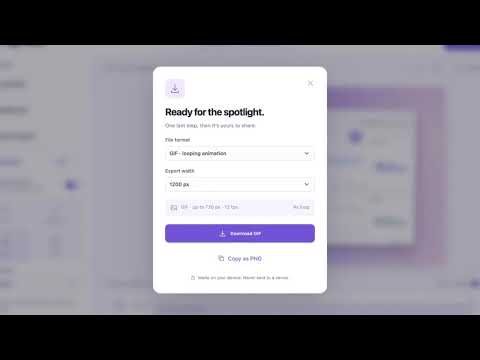
Turn a Chrome tab into a polished screenshot or a looping GIF for a product update, help doc, or social post. Click Capture this page to open the visible tab in Page Glow, or open a screenshot you already have. Add a background and browser frame, then preview the result. Save a still image, copy it to the clipboard, or add motion and export a short loop. Page Glow captures only when you click. Editing and export happen on your device, and only the latest tab capture is stored locally so it can open in the editor.
0 out of 5No ratings
Details
- Version0.1.0
- UpdatedNovember 22, 2026
- Size44.39KiB
- LanguagesEnglish
- DeveloperWebsite
Email
hellonevo13@gmail.com - Non-traderThis developer has not identified itself as a trader. For consumers in the European Union, please note that consumer rights do not apply to contracts between you and this developer.
Privacy

Page Glow: Screenshot & GIF Editor has disclosed the following information regarding the collection and usage of your data. More detailed information can be found in the developer's privacy policy.
Page Glow: Screenshot & GIF Editor handles the following:
This developer declares that your data is
- Not being sold to third parties, outside of the approved use cases
- Not being used or transferred for purposes that are unrelated to the item's core functionality
- Not being used or transferred to determine creditworthiness or for lending purposes
Support
For help with questions, suggestions, or problems, please open this page on your desktop browser