


개요
Make any webpage into a content editable document and modify it via toolbar popup!
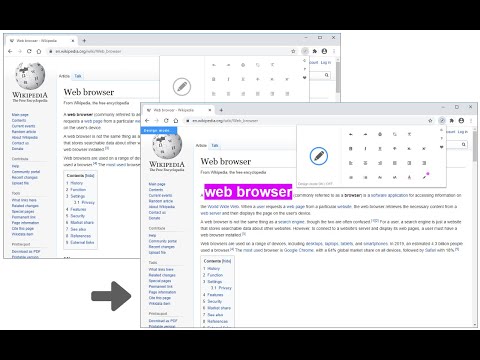
Page Edit is an extension that let you make changes to any HTML webpage. To work with this add-on, simply open the toolbar popup UI and then click on the big toggle button on the left side. Once the add-on is active, the icon turns to blue color. A - Design Mode - banner will also be shown in the current tab at the top left corner. Now, the document is ready for editing; make desired changes with the text editing buttons available in the toolbar popup UI. Once your edits are completed, click on the toggle button again to turn off the add-on. Note: to work with text editing tools in the toolbar popup UI, please first select a text and then click on the desired button in the popup. If you found a bug to report, or have a feature request in mind, please fill out the bug report form on the add-on's homepage (https://mybrowseraddon.com/page-edit.html).
5점 만점에 4.6점평점 35개
세부정보
- 버전0.1.9
- 업데이트됨2025년 12월 11일
- 제공Keller
- 크기240KiB
- 언어English
- 개발자
이메일
hovie.keller@gmail.com - 비판매자판매자로 식별되지 않은 개발자입니다. 유럽 연합에 거주하는 소비자의 경우, 이 개발자와 체결한 계약에 대해서는 소비자 권리가 적용되지 않을 수 있음을 유의해야 합니다.
개인정보 보호

개발자가 사용자 데이터에 관해 다음과 같이 선언했습니다
- 승인된 사용 사례를 제외하고 서드 파티에 판매하지 않음
- 항목의 핵심 기능과 관련 없는 목적으로 사용하거나 전송하지 않음
- 신용도 판단 또는 대출 목적으로 사용하거나 전송하지 않음
지원
질문, 제안 또는 문제와 관련하여 도움이 필요하시면 개발자의 지원 사이트를 방문하세요.