

Page Doodler

Overview
Draw doodles on any webpage and save them per-URL.
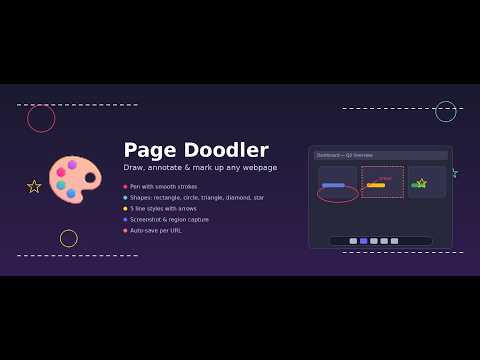
Draw, annotate, and mark up any webpage — right in your browser. Page Doodler adds a floating canvas overlay to any page so you can sketch ideas, highlight content, leave notes, and share annotated screenshots. Your doodles are saved per URL and reload automatically when you return. DRAWING TOOLS - Pen with smooth, pressure-friendly strokes - Eraser to clean up mistakes - Text tool — click anywhere to type annotations - 6 shapes: rectangle, rounded rectangle, circle, triangle, diamond, star - 5 line styles: solid, dashed, dotted, arrow, double arrow - Full color picker and adjustable brush size (1–100) WORKFLOW - Undo / Redo / Clear with keyboard shortcuts (Ctrl+Z, Ctrl+Y) - Save doodles per page — they reload when you come back - Export your doodle as a transparent PNG - Screenshot the page with your doodles composited on top - Region select tool for cropping screenshots to a specific area - Scroll the page underneath while doodling Works on any webpage. Click the palette icon or use the popup to start doodling.
0 out of 5No ratings
Details
- Version1.7.1
- UpdatedOctober 28, 2026
- Offered bymulav8
- Size45.23KiB
- LanguagesEnglish (United Kingdom)
- Developer
Email
mmoloki9kyu@gmail.com - Non-traderThis developer has not identified itself as a trader. For consumers in the European Union, please note that consumer rights do not apply to contracts between you and this developer.
Privacy

This developer declares that your data is
- Not being sold to third parties, outside of the approved use cases
- Not being used or transferred for purposes that are unrelated to the item's core functionality
- Not being used or transferred to determine creditworthiness or for lending purposes
Support
For help with questions, suggestions, or problems, please open this page on your desktop browser