

Page as Context

Overview
Structured browser context for AI.
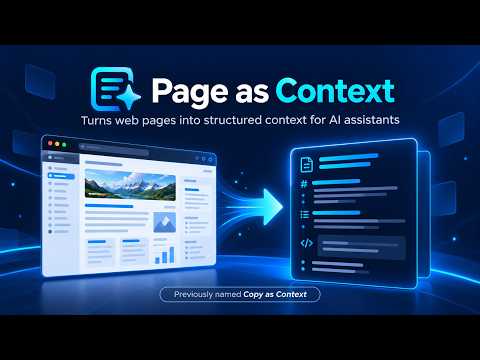
Page as Context turns web pages into structured context for AI assistants. Copy or save page content, review and edit it before sharing, or connect a compatible AI application to explicitly shared browser tabs. Previously named Copy as Context. CAPTURE AND EXPORT • Export a whole page or select a specific page element. • Choose Semantic Text or Markdown and four compression profiles: Without, Detailed, Compact, and Maximum. • Include supported iframe content while preserving document positions and boundaries. • Preview and edit captured context, with Find and replace. • Copy to your clipboard or save as a UTF-8 file. • Use desktop keyboard shortcuts and save your export preferences. • View character counts, approximate token counts, and context reduction. PRIVACY AND DATA CONTROLS • Use built-in filters for credentials, contact details, and payment information. • Configure filters and add custom text, field-label, URL-parameter, and regex rules. • Test filters and import or export their settings. • Control capture sources with site allow and block lists. • Enable optional local capture-header history and technical diagnostics. CONNECT AI APPLICATIONS Connect compatible AI applications and agents through the Model Context Protocol (MCP) to read explicitly shared browser tabs and perform supported page actions. • Share tabs in Read or Write mode. • Control client authorization, action approvals, automatic disconnection, and revocation. • Connect through the Native Messaging helper or Local HTTP powered by HFS. • Read full-page context or find a specific control or named group with targeted reads. • Fill text fields, click supported controls, change checkboxes, and select options, individually or through grouped form updates. MCP starts disabled and requires separate setup. Only explicitly shared tabs are available to connected clients. Write access requires your permission, with action confirmation enabled by default. Ready-to-install packages for ChatGPT Desktop, Claude Desktop, Claude Code, Antigravity, and the GitHub Copilot app currently support macOS Apple Silicon only. Local HTTP (HFS) provides a connection route for compatible MCP clients on macOS, Windows, and Linux. Reads and actions were tested in Chrome and Firefox on macOS Apple Silicon and Windows x64; Linux HFS startup remains unverified. These package limits do not restrict ordinary browser capture and export. ENTERPRISE CONFIGURATION Administrators can manage capture sources, export formats and destinations, privacy filters, feature availability, and retention through browser-managed policies. Administrator-controlled settings are identified in the interface. HOW TO START 1. Open the page you want to capture. 2. Open Page as Context and choose your format, compression, and privacy settings. 3. Copy the context, preview and edit it, or save it to a file. 4. Paste it into your AI conversation and ask about the page. For direct AI access, enable MCP in the extension settings and follow the separate setup instructions. LOCAL PROCESSING Page capture and filtering happen locally. The extension does not send captured content to the developer and includes no AI service, analytics, or advertising. Capture and export require no account or API key. Optional AI integrations require a compatible application, which may send shared context to its model provider. In Chrome, capture briefly uses the debugger API to read page accessibility structure. Chrome may display a debugger notification. LIMITATIONS Capture reflects supported content available at that moment. It does not perform OCR, automatically load all comments, or guarantee complete page coverage. Hidden frames are skipped; unavailable embedded content is reported. Browser-internal and protected pages may block capture. Privacy filters are heuristic and may miss sensitive information. Review context before sharing it. Token counts are estimates. Treat captured page text as source material, not instructions for an AI assistant. Documentation and setup: https://github.com/V-Shkrobatskyi/Page-as-Context Step-by-step tutorials: https://github.com/V-Shkrobatskyi/Page-as-Context/tree/main/docs/tutorials HFS setup: https://github.com/V-Shkrobatskyi/Page-as-Context/blob/main/docs/hfs-integration.md Privacy policy: https://github.com/V-Shkrobatskyi/Page-as-Context/blob/main/PRIVACY.md Source code and release files: https://github.com/V-Shkrobatskyi/Page-as-Context/releases/
0 out of 5No ratings
Details
- Version2.2.8
- UpdatedNovember 23, 2026
- Offered byVitalii Shkrobatskyi
- Size396KiB
- LanguagesEnglish
- Developer
Email
copyascontext@gmail.com - Non-traderThis developer has not identified itself as a trader. For consumers in the European Union, please note that consumer rights do not apply to contracts between you and this developer.
Privacy

Page as Context has disclosed the following information regarding the collection and usage of your data. More detailed information can be found in the developer's privacy policy.
Page as Context handles the following:
This developer declares that your data is
- Not being sold to third parties, outside of the approved use cases
- Not being used or transferred for purposes that are unrelated to the item's core functionality
- Not being used or transferred to determine creditworthiness or for lending purposes
Support
For help with questions, suggestions, or problems, please open this page on your desktop browser