


Overview
Free screen recorder: capture screen, camera, mic and Meet, Teams or Zoom call audio to MP4. No uploads, no account, no time limit.
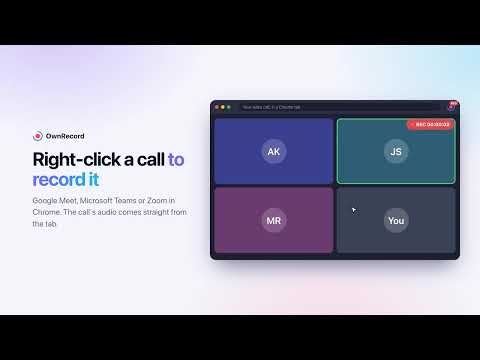
OwnRecord is a free screen recorder for Chrome that keeps every recording on your own computer. It records your screen, camera, microphone and the audio of a Google Meet, Microsoft Teams or Zoom call, then saves an MP4 the moment you stop. There is no account, no upload, no watermark and no time limit. WHAT YOU CAN RECORD • A Chrome tab, a window or your entire screen • Call audio: everyone on a Google Meet, Microsoft Teams or Zoom call running in Chrome, mixed with your own voice • Your camera as a round bubble over the screen, or the camera alone • Audio only, when you just need the conversation HOW TO RECORD A CALL Open the Meet, Teams or Zoom call in Chrome. Right-click the page and choose "Record this call", or press Alt+Shift+R. Tell the people on the call you are recording. Right-click again and choose "Stop recording". The MP4 downloads straight away. PRIVATE BY DESIGN • Recordings are saved only on your computer • The extension is blocked from making any network request by its own security policy (connect-src 'none') • No account, no analytics, no ads, no third-party code • No access to the content of the websites you visit NO LIMITS • No time limit: recordings are written to disk every 2 seconds, so free disk space is the only limit (about 2.2 GB per hour at 1080p) • No watermark • Crash-safe: if Chrome closes mid-recording, everything up to that moment is kept FORMATS MP4 by default, or WebM. Audio-only recordings save as M4A or WebM. GOOD TO KNOW • Works in Chrome 126 or later on a computer • Calls must run in a Chrome tab for their audio to be recorded. On a Mac, the sound of the desktop Teams or Zoom app cannot be captured • Chrome always shows its own picker when you record a window or the entire screen. Record "This tab" to skip it • Meet and Teams do not tell other people you are recording, so tell them yourself and follow the consent rules where you live FREQUENTLY ASKED QUESTIONS Is OwnRecord free? Yes. Every feature is free, with no paid plan. Does it upload my recordings? No. Chrome blocks the extension from making network requests, so recordings cannot leave your computer. Can I record my screen without a call? Yes. Switch Call audio off and record a tab, a window or the entire screen. Is there a time limit? No. The only limit is free disk space. Developed by Mohit Kumar: https://www.mohitkumars.com/
5 out of 51 rating
Details
- Version2.2.0
- UpdatedNovember 15, 2026
- Size46.14KiB
- LanguagesEnglish (United States)
- DeveloperWebsite
Email
mohitproid99@gmail.com - Non-traderThis developer has not identified itself as a trader. For consumers in the European Union, please note that consumer rights do not apply to contracts between you and this developer.
Privacy

OwnRecord: Private Screen & Call Recorder has disclosed the following information regarding the collection and usage of your data. More detailed information can be found in the developer's privacy policy.
OwnRecord: Private Screen & Call Recorder handles the following:
This developer declares that your data is
- Not being sold to third parties, outside of the approved use cases
- Not being used or transferred for purposes that are unrelated to the item's core functionality
- Not being used or transferred to determine creditworthiness or for lending purposes
Support
For help with questions, suggestions, or problems, visit the developer's support site