

OWL-Note: Markdown Notebook, Save AI Chats & Tab Transcriber
1 rating
)
Overview
Free Markdown notebook for your browser. Save & rebuild AI chats, transcribe tab audio, and search with local RAG. Auto-syncs free.
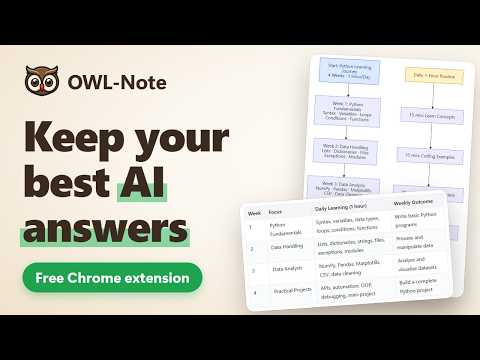
OWL-Note is a free Markdown notebook that lives in your browser. Save AI chats as editable notes, turn a playing video into a transcript, and find things later by what they mean. There is no separate account, server or subscription: your notes sync as encrypted bookmarks through the Chrome or Edge account you already use. SAVE AI CHATS AS REAL MARKDOWN Right-click a ChatGPT, Claude or Gemini chat and choose OWL-Note > Rebuild LLM chat. You get an editable note, not a screenshot: • Each message labelled with who said it • Headings, lists, links and tables • Code blocks that keep their language • Math, kept as editable LaTeX • Supported images as attachments, and a link back to the source It runs on your device, with no API key. TURN A PLAYING VIDEO INTO A TRANSCRIPT Right-click a page and choose OWL-Note > Live Transcription (Chrome 139 or later). • On YouTube, a video with subtitles is saved at once as a timestamped note, in the creator's own words • Otherwise on-device speech recognition transcribes it live, with a caption overlay you can drag • The audio is never stored or uploaded FIND NOTES BY WHAT THEY MEAN Ask Owl takes a plain-language question and shows the passages that answer it, with citations that jump to the note. • Keyword search works straight away. Semantic search is optional, after a one-time download of about 130 MB. Ask "How many cores does my Apple have?" and it picks your laptop note over your apple crisp recipe • With your browser's on-device AI (Gemini Nano in Chrome, Phi in Edge) it writes the answer too. The browser downloads the model once, about 2-4 GB, if you choose to enable it. Without it, you get the matching excerpts • Summarize a note, tidy its formatting without rewriting your words, or get a suggested title • Works in Chinese, Japanese and Korean Your questions and notes are not sent to any AI service. A COMPLETE NOTEBOOK • Live side-by-side preview and automatic saving • Highlighted code, math and diagrams • Nested notebooks, pinning, multi-select, and a Trash you can restore from • Search from the top bar or the browser address bar • Photos and file attachments, a sketchpad, and marking up photos • Capture an entire page as one long image, or save a selection as Markdown • Phonetic Assistance shows pronunciation above the text: IPA for English, hiragana for Japanese, Jyutping for Cantonese. Select a word to hear it, at normal or slow speed MOVE IN, AND MOVE OUT Import your notes from Evernote or Word. Export every note as Markdown at any time, or one note as a PDF. HOW SYNC AND PRIVACY WORK • Notes are encrypted with AES-256-GCM and stored as bookmarks, so other extensions can't read them. Titles stay plain text, so they come up in the address bar • They travel through your Chrome or Edge account when bookmark sync is on, under that provider's terms. We run no server and have no telemetry or ads • A bookmark holds about 8 KB per note. Larger notes, photos and files stay on that device unless you turn on the optional Google Drive sync, which stores them in your own Drive. A transcript passes 8 KB after roughly 15-20 minutes • Hearing a word uses a voice on your computer. If it has none for that language, the extension asks before using your browser's online voice, which sends what you selected to Google or Microsoft • Back up your encryption key: without it, notes can't be opened after a reinstall. The Drive option does this for you, or you can save a recovery key • Install the extension on each device to read your notes there FREE AND OPEN SOURCE No ads and no subscription. Open source under GPL-3.0: https://github.com/hinagate/owl-note Works in Chrome, Edge and other Chromium browsers. Live transcription may not be available in all of them.
5 out of 51 rating
Details
- Version2.3.56
- UpdatedNovember 18, 2026
- Offered byAiden_Or
- Size10.44MiB
- Languages2 languages
- Developer
Email
hinagate@gmail.com - Non-traderThis developer has not identified itself as a trader. For consumers in the European Union, please note that consumer rights do not apply to contracts between you and this developer.
Privacy

This developer declares that your data is
- Not being sold to third parties, outside of the approved use cases
- Not being used or transferred for purposes that are unrelated to the item's core functionality
- Not being used or transferred to determine creditworthiness or for lending purposes