

Overlint - Figma Overlay Tool

Overview
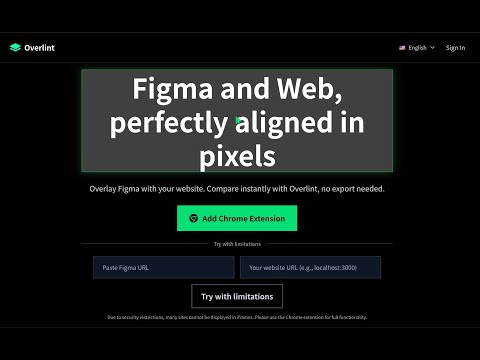
A pixel-perfect comparison tool to identify discrepancies between Figma designs and implementation
# Overlint - Figma Design Overlay Tool ## Overview Overlint is a Chrome extension that overlays Figma designs on web pages, allowing you to compare design and implementation differences with pixel-perfect accuracy. ## Key Features ### 🎯 Pixel-Perfect Comparison - Accurately overlay Figma designs on web pages - Visually identify position, size, and layout differences - Adjust transparency to view implementation and design simultaneously ### 🔐 Secure Authentication - Uses Figma Personal Access Token - Tokens are stored locally and never sent externally - Works with your existing Figma account ### 🎨 Real-Time Display - Fetches latest design files from Figma API - Design changes reflect in real-time - Supports multiple nodes (frames, components) ### ⚡ Easy Operation - One-click overlay start - Drag & drop for position adjustment - Scale adjustment for size matching - Transparency adjustment for better visibility ## Use Cases ### Frontend Developers - Verify differences between implemented web pages and designs - Make pixel-perfect layout adjustments - Confirm implementation when designs change ### Designers - Check implementation status of designs - Provide specific correction instructions to developers - Verify design feasibility ### Project Managers - Monitor progress between design and implementation - Streamline quality checks - Improve team communication ## Benefits After Installation ### 🚀 Improved Development Efficiency - No need to switch pages for design verification - View implementation and design simultaneously - Significantly improved correction accuracy ### 💰 Cost Reduction - Reduced time for design verification - Minimize correction rework - Reduced post-release correction costs through quality improvement ### 🎯 Quality Enhancement - Pixel-perfect accurate implementation - Accurately reflect design intent - Improved user experience ### 🔄 Better Team Collaboration - Align designer and developer understanding - Provide specific correction instructions - Increase project progress speed ## Privacy and Security - No personal information collection - Figma API tokens stored locally only - No external data transmission ## Support - Continuous feature improvements
0 out of 5No ratings
Details
- Version1.0.2
- UpdatedAugust 17, 2025
- FeaturesOffers in-app purchases
- Offered byTKSystems
- Size74.2KiB
- LanguagesEnglish
- Developerティーケーシステムズ株式会社
北区北10条3丁目23番地1 THE・PEAK・SAPPORO1階 札幌市, 北海道 001-0010 JPEmail
info@tksystems.tvPhone
+81 70-4306-7585 - TraderThis developer has identified itself as a trader per the definition from the European Union and committed to only offer products or services that comply with EU laws.
- D-U-N-S692281625
Privacy

Overlint - Figma Overlay Tool has disclosed the following information regarding the collection and usage of your data. More detailed information can be found in the developer's privacy policy.
Overlint - Figma Overlay Tool handles the following:
This developer declares that your data is
- Not being sold to third parties, outside of the approved use cases
- Not being used or transferred for purposes that are unrelated to the item's core functionality
- Not being used or transferred to determine creditworthiness or for lending purposes
Support
For help with questions, suggestions, or problems, visit the developer's support site