Item logo image for Over.fig – Compare design to website in real time

Over.fig – Compare design to website in real time

overfig.com
5.0(

8 ratings

)
Item media 6 (screenshot) for Over.fig – Compare design to website in real time
Item video thumbnail
Item media 2 (screenshot) for Over.fig – Compare design to website in real time
Item media 3 (screenshot) for Over.fig – Compare design to website in real time
Item media 4 (screenshot) for Over.fig – Compare design to website in real time
Item media 5 (screenshot) for Over.fig – Compare design to website in real time
Item media 6 (screenshot) for Over.fig – Compare design to website in real time
Item video thumbnail
Item media 2 (screenshot) for Over.fig – Compare design to website in real time
Item media 3 (screenshot) for Over.fig – Compare design to website in real time
Item media 4 (screenshot) for Over.fig – Compare design to website in real time
Item media 5 (screenshot) for Over.fig – Compare design to website in real time
Item media 6 (screenshot) for Over.fig – Compare design to website in real time

Overview

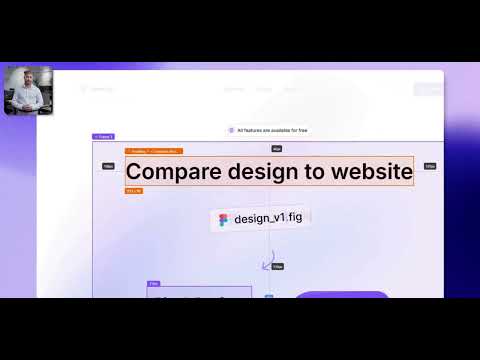
Bridge the gap between design and code. Convert your Figma into a pixel-perfect semi-transparent overlay directly on your web page.

🚀 All features are 100% free Achieve pixel-perfect accuracy between your Figma designs and live websites. No more switching tabs. No more guessing margins, fonts, or colors. And no more static image overlays that limit interaction. With Over.fig, you can overlay any Figma frame as a semi-transparent layer directly on your web page — preserving structure, spacing, and styles. Compare, inspect, and develop in real time, all within your browser. Bring the design into your workflow. Build faster. Ship with confidence. 🛠️ How It Works - Paste any Figma design link - Select a frame for overlay - Compare HTML overlay to website ✅ Key Features - Сompare the design with the live web page in one click - Pixel-Perfect Accuracy - Effortless Figma CSS inspection and transform into Tailwind utility classes - Precise measurement tools - Custom font support - Download pre-optimized Figma project media straight from the extension - Time-saving workflow - Media queries & device verification 🎯 Who Is Over.fig For? - Frontend Developers – Build with confidence, match designs exactly. - QA & UI/UX Engineers – Validate implementation against design specs. - Design-to-Code Teams – Reduce feedback loops and misalignment. - Freelancers & Agencies – Deliver pixel-perfect results, faster. 🔒 Privacy & Security Over.fig does not collect any personal data or website information. All comparison processing happens locally in your browser — nothing is sent to external servers. The browser extension requires access to Figma only to read design files — no editing, copying, or sharing of your content is performed. Your Figma files remain secure and private. Improve Your Workflow. Ship Pixel-Perfect Sites.

Details

  • Version
    1.1.0
  • Updated
    November 26, 2025
  • Features
    Offers in-app purchases
  • Size
    496KiB
  • Languages
    English
  • Developer
    Website
    Email
    aznsupport@aznresearch.com
  • Non-trader
    This developer has not identified itself as a trader. For consumers in the European Union, please note that consumer rights do not apply to contracts between you and this developer.

Privacy

Over.fig – Compare design to website in real time has disclosed the following information regarding the collection and usage of your data. More detailed information can be found in the developer's privacy policy.

Over.fig – Compare design to website in real time handles the following:

Personally identifiable information
Authentication information

This developer declares that your data is

  • Not being sold to third parties, outside of the approved use cases
  • Not being used or transferred for purposes that are unrelated to the item's core functionality
  • Not being used or transferred to determine creditworthiness or for lending purposes

Related

Designer Tools

4.6

A collection of tools to help you design and develop websites with precision.

Screen Ruler - Measure The Web

4.6

Measure sizes, distances, margins and paddings of any element on any web page.

Measure Everything

4.7

Element distance measurement tool.

PerfectPixel by WellDoneCode (pixel perfect)

4.3

This extension helps develop your websites with pixel perfect accuracy!

Pixel Perfect Pro

4.2

Helps developers to make pixel perfect site layout

Inspecta - visual QA and CSS editor

5.0

Inspect, compare and update CSS visually

axe DevTools - Web Accessibility Testing

3.9

Accessibility Checker for Developers, Testers, and Designers in Chrome

Testim Editor

3.8

The simplest and most advanced testing automation tool, using Adaptive Learning and Computer Vision image validation.

DesignQA

5.0

Fix UI bugs fast

Testing Toolkit: 10+ Essential Manual Testing Tools

5.0

Streamline web testing workflow with best-in-class tools like Live testing, JSON Formatter, Cookie Editor, Cache Manager & more

UI Inspector - Visual CSS Editor

3.7

Inspect and visually edit elements and their CSS directly on the page for faster design and UI debugging.

Page Ruler

3.9

Measure page elements size in pixel with an easy-to-use ruler.

Designer Tools

4.6

A collection of tools to help you design and develop websites with precision.

Screen Ruler - Measure The Web

4.6

Measure sizes, distances, margins and paddings of any element on any web page.

Measure Everything

4.7

Element distance measurement tool.

PerfectPixel by WellDoneCode (pixel perfect)

4.3

This extension helps develop your websites with pixel perfect accuracy!

Pixel Perfect Pro

4.2

Helps developers to make pixel perfect site layout

Inspecta - visual QA and CSS editor

5.0

Inspect, compare and update CSS visually

axe DevTools - Web Accessibility Testing

3.9

Accessibility Checker for Developers, Testers, and Designers in Chrome

Testim Editor

3.8

The simplest and most advanced testing automation tool, using Adaptive Learning and Computer Vision image validation.

Google apps