


Overview
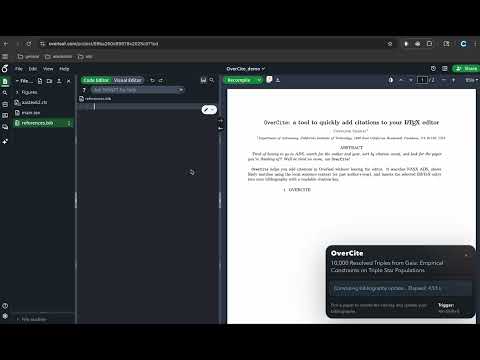
Search the literature from Overleaf and insert BibTeX entries directly into your project.
add citations in Overleaf without leaving the page. Place your cursor inside a \cite{...} command, press Alt+Shift+E, review the popup, and insert BibTeX directly into your project bibliography. Choose your subject area in settings to tune how OverCite searches: supports astrophysics, physics, math, computer science, biology/medicine, chemistry, or any cross-disciplinary fields within them. Getting started: 1. Install OverCite, then open Extension options. 2. Choose your subject area. Astrophysics: add your NASA ADS/SciX API token. (sign in to NASA ADS or SciX → Settings → API Token) 3. Open Overleaf, place the cursor inside a \cite{...} command, and press Alt+Shift+E. That's it! More details: https://github.com/cheyanneshariat/OverCite
5 out of 53 ratings
Details
- Version0.4.8
- UpdatedSeptember 12, 2026
- Size545KiB
- LanguagesEnglish
- Developer
- Non-traderThis developer has not identified itself as a trader. For consumers in the European Union, please note that consumer rights do not apply to contracts between you and this developer.
Privacy

OverCite has disclosed the following information regarding the collection and usage of your data. More detailed information can be found in the developer's privacy policy.
OverCite handles the following:
This developer declares that your data is
- Not being sold to third parties, outside of the approved use cases
- Not being used or transferred for purposes that are unrelated to the item's core functionality
- Not being used or transferred to determine creditworthiness or for lending purposes
Support
For help with questions, suggestions, or problems, please open this page on your desktop browser