

OVC - One Video Control
159 lượt xếp hạng
)
Tổng quan
One Video Control to rule them all - redefining video interfaces
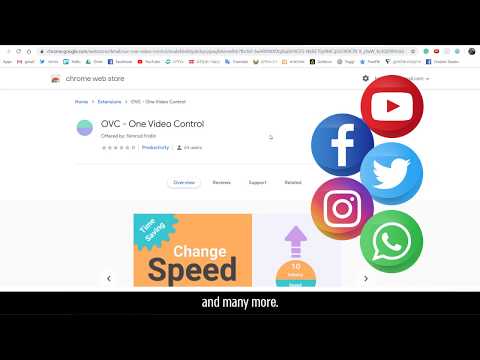
***** OVC - One Video Control lets you control all the videos you see while browsing - with your own control.***** ****** Why do I need it?! ******* It exposes new ways to interact with videos: A "popout" button to extract the video from the browser and play it as a "stand alone", also known as 'picture in picture', Scrolling up and down to increase / decrease speed or volume of the video (no more guessing if you want 1.25 or 1.75, just scroll up and down for faster and slower - with no limitation), A button to toggle max speed on and off (very useful for fast forwarding advertisements when possible, or just to find that part in the video you are looking for), Easy ways to go forward and backward, exposes a short skip and a long skip buttons (defaults to 5 and 30 seconds), mute , repeat, and more to come! ********** V1.0.22********* *bugfix* - (reported by a happy user) - in rutube.ru, when having OVC installed, the full screen of the site malfunctions -> fixed. ********** V1.0.21********* *bugfix* - (reported by a happy user) - using favorite speed, then super speed, then favorite speed again - not working -> fixed. *update permissions* - (requested by the chrome team): I asked for the "tabs" permission as I thought it was needed in order to open the setting / shortcuts pages of the extension, but it turned out I don't need this permission for that - so I am no longer requesting it. ********** V1.0.20********* *New Feature* - (requested by a happy user) make it possible to remove OVC's tooltips *New Feature* - (also requested by multiple users): "Where do I configure the keyboard shortcuts??" - finally easy access added. ********** V1.0.19********* *New Feature* - Favorite Speed - easily set your favorite speed and toggle it on and off. See features videos at www.onevideocontrol.com ********** V1.0.18********* *New Website(!) - You can now see the features videos in a dedicated website: www.onevideocontrol.com *New Feature* - You can now control the opacity of the controller so it will be as visible as you want it to be. *Bug fix* - toggle super speed only worked once (could not be turned off unless scrolled or used the reset speed keyboard shortcut). ********** V1.0.17********* *New Feature* - You can now select to start the control in "hidden" mode, great for the keyboard zen masters! *New Feature* - You can now select to auto minimize the control after 5 seconds, great for those who forget to minimize and walk away :) *New Feature* - Volume will be preserved on different videos **on the same site**, you can select to preserve the speed as well. *New Feature* - OVC controller will now show when in full screen mode (it had some bugs) *Minor bug fix* - when ctrl key is pressed, the OVC shortcuts will have no effect (finally when you copy paste something - the video will not skip forward). watch new features demo here: https://youtu.be/A8mtWuqHmYw ********** V1.0.16********* option to control the video speed or to skip back and forth while in pop-out mode. bug fixes. ********** V1.0.15********* option to auto skip on Youtube ads. bug fixes. **********V1.0.14********** Keyboard shortcuts for everything!!! if the video is currently playing, you can press: a - slow down video, d - speed up video, r - reset to default speed (x1), q - toggle super speed on and off (x16), w - volume up, s - volume down, p - popout video! z - long skip backward, x - short skip backward, c - short skip forward, v - long skip forward, m - toggle mute on and off, e - toggle repeat on and off. h - hide / show the control. when hidden you can still use the keyboard shortcuts to control the video. ****** Customizable ******** It is all customizable - the look and functionality of it, all the keyboard shortcuts can be replaced, it is ***YOUR*** control. You can change the number of seconds that will pass when clicking the short and long skip buttons or using the keyboard shortcuts, You can change the increase / decrease in the speed when scrolling on the speed area or when using the keyboard shortcut, ****** Themes ******* you can select between existing themes, or even CREATE YOUR OWN THEME! ************It Really Is One Control To Rule Them All!************** ***** Thanks to Priel Hackim for the UI of the controller. ***** get in touch with Priel and see his talen: https://www.behance.net/prielhackim
4,9/5159 lượt xếp hạng
Chi tiết
- Phiên bản1.0.22
- Đã cập nhật18 tháng 1, 2022
- Nhà cung cấpNimrod Fridlin
- Kích thước169KiB
- Ngôn ngữEnglish
- Nhà phát triểnNimrod Fridlin
- - - -Email
astronimrod@gmail.com - Người bán phi thương mạiNhà phát triển này không tự nhận mình là người bán. Đối với người tiêu dùng ở Liên minh Châu Âu, xin lưu ý rằng các quyền của người tiêu dùng không được áp dụng trong hợp đồng giữa bạn và nhà phát triển này.
Quyền riêng tư

Nhà phát triển này tuyên bố rằng dữ liệu của bạn
- Không được bán cho bên thứ ba, ngoài những trường hợp sử dụng đã được phê duyệt
- Không được sử dụng hoặc chuyển nhượng cho các mục đích không liên quan đến chức năng chính của mặt hàng
- Không được sử dụng hoặc chuyển nhượng để xác định khả năng thanh toán nợ hoặc phục vụ mục đích cho vay
Hỗ trợ
Nếu bạn có câu hỏi, ý kiến đề xuất hoặc gặp vấn đề, vui lòng mở trang này bằng trình duyệt dành cho máy tính để được trợ giúp