


Overview
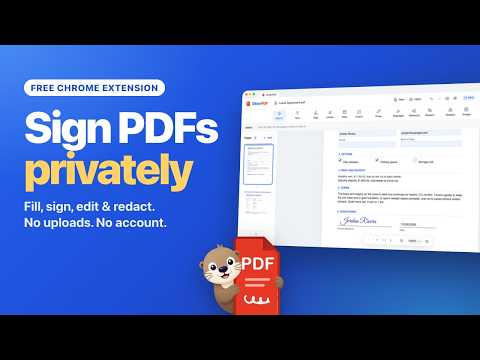
PDF editor for Chrome: fill forms, sign, edit text, redact & merge PDFs. 100% private: files never leave your device. Works offline.
The private PDF editor for Chrome: fill, sign, edit and redact PDFs without uploading them. OtterPDF is a PDF editor that opens, edits and saves your PDF files entirely on your computer. Fill out PDF forms, sign PDFs with your signature and initials, edit PDF text, redact or blur private information, and merge, rotate or reorder pages. No uploads, no account, no watermarks, and it works offline. Perfect for contracts, leases, tax and HR forms, school permission slips, invoices and medical paperwork, all of which stay on your device. SIGN IN SECONDS (Pro) • Draw your signature with a smooth, pen-like stroke, type it in elegant script fonts, or upload a photo (we remove the paper background) • Save your signature and initials for one-click reuse • Click "Sign here" on signature fields to drop your signature perfectly in place FILL ANY FORM • Type straight into fillable PDF fields — text boxes, checkboxes, radio buttons and dropdowns • Add text anywhere for forms without fields, plus dates, ✓ check marks, ✗ crosses and dots • Your filled PDF stays fillable — or flatten it with one click HIDE PRIVATE DETAILS FOR GOOD (Pro) • Redact names, account numbers, addresses or anything else: drag over it, or just click a line of text • Choose a solid black box, or a blur with adjustable strength, from a light soften to completely unreadable • Add a subtle dashed border around a blur, or leave it borderless • Real redaction: what's underneath is removed from the saved file, not just covered up EDIT LIKE A PRO (Pro) • Edit existing text: click a line in the PDF, retype it — OtterPDF matches the font, size and color • Highlight, whiteout, draw, add shapes, straight or curved arrows and images, and arrange them in front of or behind each other • Rotate, reorder, delete and insert pages; merge pages from another PDF EASY TO USE • A clean, distraction-free editor with unlimited undo/redo, zoom and keyboard shortcuts • Start over with a new PDF in one click SAVE AND PRINT THE WAY YOU WANT • Print in one click: everything you added prints exactly as it saves • Save as… anywhere, download a copy, or save straight back to the original file (Pro) • Reopen your PDF in OtterPDF later and everything you added is still editable • Real PDFs: text stays selectable and the output stays small • Password-protected PDFs stay protected with the same password • Deleted pages are truly removed from the file PRIVATE BY DESIGN • 100% local processing — nothing is uploaded • No account, no tracking, no analytics • Minimal permissions: OtterPDF only asks to access a website when you choose to open a PDF from it Open a PDF from the toolbar button, right-click any PDF link, or drag a PDF into the editor. FREE AND PRO Free forever: open and fill any PDF form; add text, dates and check marks; print and save as often as you like, with no watermark. OtterPDF Pro, a one-time purchase with no subscription, adds: signing with your signature and initials (draw, type or upload, up to 10 saved), editing existing text, redaction and blur, drawing, highlights, whiteout, shapes and images, page tools (merge, add, reorder, rotate, delete), saving to the original file, and flattening forms. Payments are handled securely by ExtensionPay and Stripe. Made by EspinalLab, LLC — the makers of OtterPage.
0 out of 5No ratings
Details
- Version1.0.1
- UpdatedOctober 7, 2026
- FeaturesOffers in-app purchases
- Size3.2MiB
- LanguagesEnglish
- DeveloperEspinalLab, LLCWebsite
2003 Hardee Cir Kennesaw, GA 30152-1105 USEmail
support@espinallab.comPhone
+1 678-977-3414 - TraderThis developer has identified itself as a trader per the definition from the European Union and committed to only offer products or services that comply with EU laws.
- D-U-N-S030807559
Privacy

This developer declares that your data is
- Not being sold to third parties, outside of the approved use cases
- Not being used or transferred for purposes that are unrelated to the item's core functionality
- Not being used or transferred to determine creditworthiness or for lending purposes
Support
For help with questions, suggestions, or problems, please open this page on your desktop browser