Item logo image for Otter Vault

Otter Vault

5.0(

1 rating

)
Item media 6 (screenshot) for Otter Vault
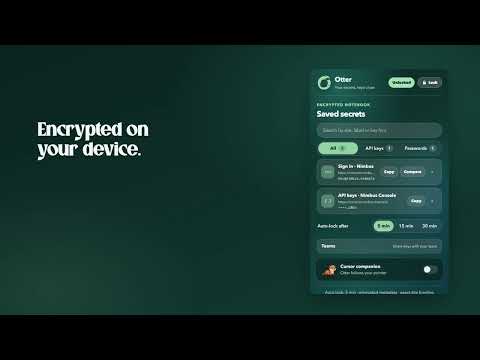
Item video thumbnail
Item media 2 (screenshot) for Otter Vault
Item media 3 (screenshot) for Otter Vault
Item media 4 (screenshot) for Otter Vault
Item media 5 (screenshot) for Otter Vault
Item media 6 (screenshot) for Otter Vault
Item video thumbnail
Item media 2 (screenshot) for Otter Vault
Item media 3 (screenshot) for Otter Vault
Item media 4 (screenshot) for Otter Vault
Item media 5 (screenshot) for Otter Vault
Item media 6 (screenshot) for Otter Vault

Overview

Catches one-time API keys and passwords as you create them, keeps them in an encrypted vault, and shares them with your team.

Ever created an API key, clicked away, and realised the site will never show it again? Otter Vault is a small otter that watches for that moment. When a developer console reveals a brand-new API key, the otter offers to tuck it into an encrypted vault before it disappears. It does the same for password fields. You stay in control • Nothing is saved until you click "Keep it safe". • Credentials are filled only on the exact website they were saved for (same protocol, host and port), never on lookalike domains, and never on insecure http pages. Get a key back when you need it • Open the popup, search by label, site or key hint, and switch between API keys and passwords. • Copying asks for your passphrase again, and the clipboard clears itself 5 minutes later (1 minute for passwords) if it still holds that secret. Private by design • Everything stays on your device: no servers, no accounts, no analytics, no network requests. • Your vault is encrypted with AES-256-GCM using a key derived from your passphrase (PBKDF2-SHA-256, 600,000 iterations). The passphrase is never stored. • Labels, usernames and website addresses are encrypted too, not just the secrets. • The vault locks itself after 5, 15 or 30 minutes of inactivity. You choose. Early preview Otter Vault has not yet had an independent security audit. If you forget your passphrase, the vault cannot be recovered.

Details

  • Version
    0.6.2
  • Updated
    October 8, 2026
  • Features
    Offers in-app purchases
  • Offered by
    Krishna Ganga L
  • Size
    302KiB
  • Languages
    English
  • Developer
    Email
    krishna091718@gmail.com
  • Non-trader
    This developer has not identified itself as a trader. For consumers in the European Union, please note that consumer rights do not apply to contracts between you and this developer.

Privacy

Manage extensions and learn how they're being used in your organization

Otter Vault has disclosed the following information regarding the collection and usage of your data. More detailed information can be found in the developer's privacy policy.

Otter Vault handles the following:

Personally identifiable information
Authentication information
Website content

This developer declares that your data is

  • Not being sold to third parties, outside of the approved use cases
  • Not being used or transferred for purposes that are unrelated to the item's core functionality
  • Not being used or transferred to determine creditworthiness or for lending purposes

Support

For help with questions, suggestions, or problems, visit the developer's support site

Related

DontSpoof Vault: Local Storage with Strong Encryption

5.0

Manage, generate, and share passwords securely with local encryption and zero cloud storage.

SecureVault Password Manager

0.0

Fill, save and generate passwords. Your vault is encrypted on your device with AES-256 and only you hold the key.

Vaultwise

0.0

Zero-knowledge password manager with team sharing and passkey support.

AuthRing

0.0

Passwords, passkeys and 2FA codes in one encrypted vault that stays on your computer.

vauly: Password Manager for Teams

0.0

Fill and save your team's logins and passkeys from vauly, the open-source, end-to-end encrypted password manager you host yourself.

Strong Password Generator: Random Passwords in One Click

5.0

Create a strong random password, a word password or a PIN, then copy it in one click. Made on your device with secure randomness.

Scribe Clock

5.0

Fill logins, save passwords, passkeys and API keys in your encrypted ScribeClock vault, and let your agent use this browser.

Password Bunny

0.0

Fill passwords, passkeys, and verification codes with one tap. Your vault stays in your own cloud.

Passkey Manager — Stack Intelligence

5.0

Create and use passkeys, then securely share encrypted passkeys with your Stack Intelligence team.

TheCode

0.0

Passwords never stored: recomputed from your master key. Optional vault and encrypted sync. Same passwords on every device.

Keypeur: Autofill & Free Password Manager

5.0

Autofill passwords, passkeys & 2FA codes on every site. A free, secure password manager with an encrypted vault on your device.

Ringer Vault

0.0

Fills passwords from your Ringer Vault, and offers to save the ones you type. Your vault is decrypted in memory only.

DontSpoof Vault: Local Storage with Strong Encryption

5.0

Manage, generate, and share passwords securely with local encryption and zero cloud storage.

SecureVault Password Manager

0.0

Fill, save and generate passwords. Your vault is encrypted on your device with AES-256 and only you hold the key.

Vaultwise

0.0

Zero-knowledge password manager with team sharing and passkey support.

AuthRing

0.0

Passwords, passkeys and 2FA codes in one encrypted vault that stays on your computer.

vauly: Password Manager for Teams

0.0

Fill and save your team's logins and passkeys from vauly, the open-source, end-to-end encrypted password manager you host yourself.

Strong Password Generator: Random Passwords in One Click

5.0

Create a strong random password, a word password or a PIN, then copy it in one click. Made on your device with secure randomness.

Scribe Clock

5.0

Fill logins, save passwords, passkeys and API keys in your encrypted ScribeClock vault, and let your agent use this browser.

Password Bunny

0.0

Fill passwords, passkeys, and verification codes with one tap. Your vault stays in your own cloud.

Search
Clear search
Close search
Google apps
Main menu