


Visão geral
Use this AI content detector and human writing report to understand if a document was written by a human or chat GPT.
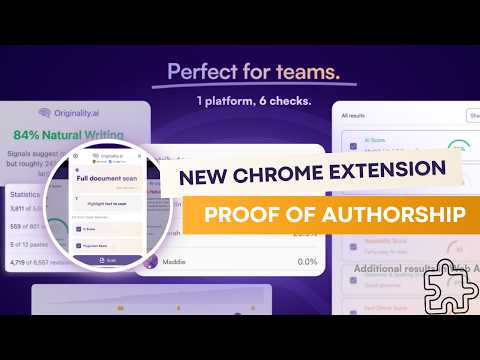
Scan for AI writing and plagiarism anywhere with Originality.ai for Chrome, the most accurate AI detector and plagiarism checker. Accurately check for AI and plagiarism where you actually write. Originality.ai for Chrome is the most capable tool for writing integrity, building proof, transparency, and confidence directly in Google Docs and Chrome. ✅ Excellent for students, writers, editors, teachers, and more! ✅ Proven Accuracy: → 99% AI detection accuracy: originality.ai/blog/ai-accuracy → 3rd-party AI detection studies: originality.ai/blog/ai-detection-studies-round-up → 99.5% plagiarism check accuracy: originality.ai/blog/plagiarism-accuracy-study → Tested on the latest LLMs: GPT-5.2, Gemini 3, and Grok 4.1 Fast ✍️ Peace of Mind for Writers and Students: Goodbye False Positives! With ‘Watch a Writer Write,’ Writer Replay, you can show how a Google Doc was written, character-by-character, for full transparency. Accused of using AI? Now you can prove that your article, essay, assignment, or other content is your human writing. Prove your writing is your own + confidently bring transparency to authorship. 🤖 NEW The Most Accurate Auto-Typing Detection: Did a human or a bot type that? Identify non‑human typing behaviors, such as if an auto-typer was used to try and fake human-writing. Show that your work was original and human-written. Conveniently see a Human Typing Score with the most accurate auto-typer detection and insights into whether a document appears naturally typed or automated. Overview of Originality.ai for Chrome’s Industry-Leading Features: → The most accurate AI score and plagiarism score → Select your preferred AI detection model as a default → Writer Replay: ‘Watch a Writer Write’ sped-up replay → Character-by-character video replay of the writing process → See paste counts (and location) → Character count → Word count → Contributors (and their contribution ratios) → Revisions → Shareable read-only reports What does this mean for students, writers, editors, and teachers? ✓ Prove it’s your human writing and confidently address AI accusations. ✓ Protect your writing and publishing reputation. ✓ Demonstrate academic integrity. ✓ Easily track changes, contributors, and identify authors. ✓ Watch a Writer Write: reduce false positives with replay-based proof of authorship. ✓ Stay on the same page about everyone’s contributions to a group project. ✓ Download a shareable read-only report of scan results. ✓ Built for repeat use with instant scans, simple workflow, and synced results. Are you a student or teacher using Originality.ai for Chrome? Share your feedback: originality.ai/contact-us How Originality.ai for Chrome Works in Google Docs: 1. Install the Chrome Extension 2. Click on the Originality.ai icon and log in 3. Start writing (or review a completed document) 4. Click ‘Scan’ to check for AI and plagiarism How Originality.ai for Chrome Works on a Web Page: 1. Install the Chrome Extension 2. Click on the Originality.ai icon and log in 3. Navigate to a web page in Chrome 4. Click ‘Scan’ to check for AI and plagiarism (full web page or a text selection) 📰Originality.ai AI studies are featured in leading publications: The Guardian, The Toronto Star, and The New York Post. Limitations: No AI detector is 100% accurate. We transparently share our false positive rates (AI detection false positives occur when human writing is identified as AI). Read our accuracy study for data on our latest AI detection models: originality.ai/blog/ai-accuracy Try Originality.ai: https://originality.ai/ Terms of Service: https://originality.ai/terms-and-conditions/ Privacy Policy: https://originality.ai/privacy-policy/
3,7 de 5147 notas
Detalhes
- Versão1.0.3
- Atualização17 de abril de 2026
- RecursosOferece compras no aplicativo
- Oferecido porOriginality.ai
- Tamanho1.34MiB
- IdiomasEnglish
- DesenvolvedorOriginality.ai
1 First St Collingwood, ON L9Y 1A1 CAE-mail
info@originality.ai - Não negocianteEsse desenvolvedor não se identificou como comerciante. Caso você seja da União Europeia, observe que os direitos do consumidor não se aplicam a contratos firmados entre você e esse desenvolvedor.
Privacidade

AI Detector and Human Writing Report - Originality.ai divulgou as informações a seguir sobre a coleta e o uso dos seus dados. Para mais detalhes, consulte estas informações do desenvolvedor: privacy policy.
AI Detector and Human Writing Report - Originality.ai processa o seguinte:
O desenvolvedor declara que seus dados
- Não são vendidos a terceiros, exceto nos casos de uso aprovados
- Não são usados ou transferidos para fins não relacionados à função principal do item
- Não são usados ou transferidos para informações de crédito ou empréstimo
Suporte
Para receber ajuda com perguntas, sugestões ou problemas, abra esta página no seu navegador para computador