

Org62 EzLink v4

Genel bakış
Org62 EzLink v4
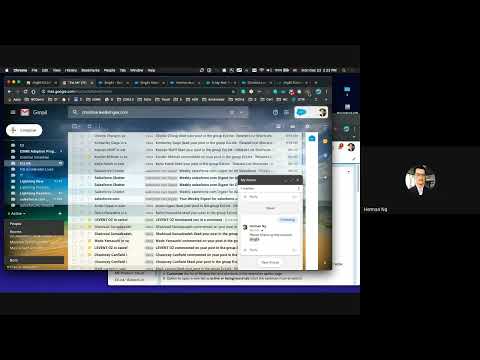
EzLink is a Chrome extension for Salesforce that provides a right-click menu in Chrome with frequently used related list links so that Salesforce users can open account-related information instantly without having to scroll many pages. How to use: 1. Set your preference using EzLink Option: Right-click on the EzLink icon near the top right side of your Chrome browser and select Option. Then, use the options page to add/remove/rearrange the list of links. 2. In the Salesforce interface, right-click on an account link, such as in a list view or an account lookup field. 3. Or right-click from an account record page on an empty area or over an area that is not a link. 4. Go to Org62 EzLink in the right-click menu and select one of the links. 5. EzLink also works with other objects with the same related list, such as from Contact to Case and Contact to Opportunity. Disclaimer: - This extension has been reviewed and approved by the Salesforce Application Security team. - This extension does not change your Chrome or Org62 settings, does not call any API, and does not collect any information from your browser or computer. Note for Salesforce Console users: another Chrome extension that works great together with EzLink is Lightning Console Extension. In addition, many EzLink shortcuts can be opened as a console tab when installed and enabled. If Org62 EzLink menu reset, go to the options page again and click Reload Preference or re-configure your preference. Some of the supported links: Org62 Search EWS360 Cases Contacts Opportunities App Installed Activity History Asset Line Items Service Entitlement Program Engagements Consumed Accel. Report and more
5 üzerinden 0Puan yok
Ayrıntılar
- Sürüm4.0.9
- Güncellenme tarihi:11 Şubat 2023
- Sunan:Herman Ng
- Boyut31.57KiB
- DillerEnglish
- Geliştirici
E-posta
herman604@gmail.com - Tacir olmayanBu yayıncı kendisini tacir olarak tanımlamamış. Avrupa Birliği'ndeki tüketiciler açısından bakıldığında, bu geliştiriciyle yapmış olduğunuz sözleşmelerde tüketici haklarının geçerli olmadığını lütfen unutmayın.
Gizlilik

Bu geliştirici, verilerinizle ilgili olarak aşağıdakileri beyan eder:
- Onaylanan kullanım alanları dışında üçüncü taraflara satılmaz
- Öğenin temel işleviyle alakasız amaçlar için kullanılmaz ya da aktarılmaz
- Kredibilitenin belirlenmesi veya borç verme amaçlarıyla kullanılmaz ya da aktarılmaz
Destek
Sorular, öneriler veya sorunlarla ilgili yardım için lütfen bu sayfayı masaüstü tarayıcınızda açın