

Order Address Copier - eBay to AliExpress
5 ratings
)
Overview
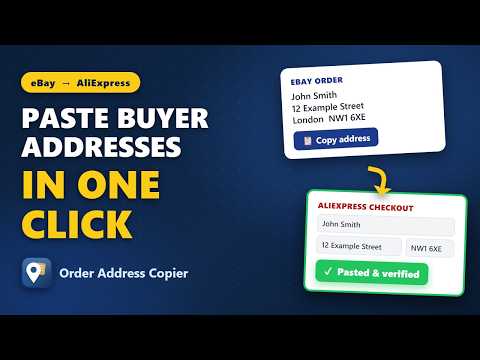
One-click copy of eBay order addresses, auto-pasted and double-checked on AliExpress checkout. UK, US, and 18 more markets.
Stop retyping buyer addresses. Order Address Copier moves the shipping address from an eBay order to the AliExpress checkout in one click, then double-checks every field it filled. HOW IT WORKS 1. Open an eBay order page and click "Copy address". 2. Open your AliExpress checkout and click "Paste from eBay". 3. Every field is filled, re-checked, and fixed if AliExpress overwrote it, and the pasted address is selected so the checkout really uses it. WHAT YOU GET - One-click "Copy address" button on eBay order pages - One-click "Paste from eBay" button on the AliExpress shipping form - Auto-verify and self-fix: every field is re-checked after filling - The postcode/ZIP is matched first, so town and region resolve correctly even when a buyer swapped them - UK and US country modes (postcode + county, ZIP + state), plus a universal mode for other markets PRIVATE BY DESIGN - Everything happens in your browser. - The last copied address is kept only on your device, auto-deleted after 30 days, and you can clear it any time from Options (Data & privacy -> Clear now). WHO IT IS FOR eBay sellers who order from AliExpress and are tired of one wrong postcode digit or phone number causing a failed delivery. Order Address Copier is an independent tool and is not, endorsed by, eBay Inc. or AliExpress / Alibaba Group. All product names and trademarks are the property of their respective owners.
5 out of 55 ratings
Details
- Version2.9.3
- UpdatedSeptember 12, 2026
- Offered byKH Tools
- Size153KiB
- LanguagesEnglish
- Developer
Email
zeeshan426khizar@gmail.com - Non-traderThis developer has not identified itself as a trader. For consumers in the European Union, please note that consumer rights do not apply to contracts between you and this developer.
Privacy

This developer declares that your data is
- Not being sold to third parties, outside of the approved use cases
- Not being used or transferred for purposes that are unrelated to the item's core functionality
- Not being used or transferred to determine creditworthiness or for lending purposes
Support
For help with questions, suggestions, or problems, please open this page on your desktop browser