


Overview
A new look and study tools for Canvas. Every Canvas feature stays where it is.
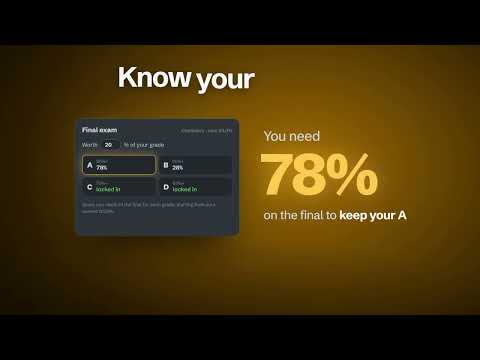
A cleaner, easier Canvas, set up the way you like. Orbit redesigns Canvas so the things you actually need are on the first screen: your grades, what's due next and what's missing. It changes how Canvas looks, never how it works. Every link and button stays exactly where Canvas put it, and Alt+Shift+O turns Orbit off in a second. ★ KNOW WHAT'S NEXT • A dashboard with each class's grade, its next assignment and how much it's worth • An "Up next" countdown and missing work sorted by how much it affects your grade • Reminders before work is due, plus an optional evening summary • Hide and reorder class menu tabs and sidebar icons, and open each class straight to its Due list ★ GRADES THAT MAKE SENSE • A report card with your GPA and weighted GPA (your own letter scale and class weights) • "What it costs if left at 0" for missing work, and "what you need" on the next assignment • Grade history with trends, and class stats right on each grade • Works with grading periods (semesters, quarters) the way Canvas does ★ MAKE IT YOURS • 44 themes: dark, light and 10 photo themes, with matching class pictures • Switch day and night themes automatically • A full customizer with a live preview: colors, your own pictures and class nicknames • Save looks and share them with friends using a code ★ FASTER EVERY DAY • Search all of Canvas with Ctrl+K • Keyboard shortcuts you can change • Every Canvas page you use gets the same clean, easy-to-read look • Built for speed: pages draw right away, even on busy days • Settings sync across your computers ★ PRIVATE BY DESIGN Your grades and work go only to your own school's Canvas, using the account you're already signed into. Orbit has no servers of its own; the only other things it loads are fonts and the photos in picture themes. No ads, no tracking, no account to make. Orbit is an independent project and is not affiliated with or endorsed by Instructure, the maker of Canvas.
0 out of 5No ratings
Details
- Version1.2.0
- UpdatedNovember 7, 2026
- Size382KiB
- LanguagesEnglish
- DeveloperWebsite
Email
random12one0@yahoo.com - Non-traderThis developer has not identified itself as a trader. For consumers in the European Union, please note that consumer rights do not apply to contracts between you and this developer.
Privacy

Orbit for Canvas has disclosed the following information regarding the collection and usage of your data. More detailed information can be found in the developer's privacy policy.
Orbit for Canvas handles the following:
This developer declares that your data is
- Not being sold to third parties, outside of the approved use cases
- Not being used or transferred for purposes that are unrelated to the item's core functionality
- Not being used or transferred to determine creditworthiness or for lending purposes