Item logo image for Opilot AI Assistant Extension

Opilot AI Assistant Extension

opilot.ai
2.0(

1 rating

)
Item media 6 (screenshot) for Opilot AI Assistant Extension
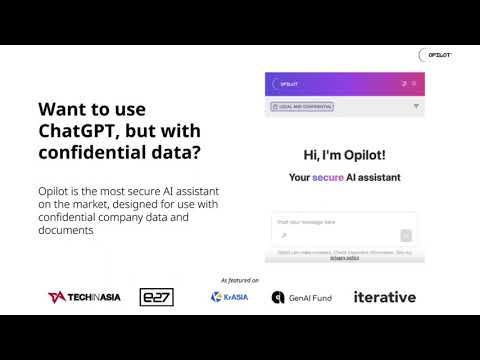
Item video thumbnail
Item media 2 (screenshot) for Opilot AI Assistant Extension
Item media 3 (screenshot) for Opilot AI Assistant Extension
Item media 4 (screenshot) for Opilot AI Assistant Extension
Item media 5 (screenshot) for Opilot AI Assistant Extension
Item media 6 (screenshot) for Opilot AI Assistant Extension
Item video thumbnail
Item media 2 (screenshot) for Opilot AI Assistant Extension
Item media 3 (screenshot) for Opilot AI Assistant Extension
Item media 4 (screenshot) for Opilot AI Assistant Extension
Item media 5 (screenshot) for Opilot AI Assistant Extension
Item media 6 (screenshot) for Opilot AI Assistant Extension

Overview

💻 Opilot is your trusted AI assistant, providing support for many tasks: private brainstorming, summarization of confidential…

💻 Opilot is your trusted AI assistant, providing support for many tasks: private brainstorming, summarization of confidential documents, replying to emails, and more. 🔒 Principal Features: 👉Chat with AI ✔️Multiple LLM chatbots: chose between LLama, Mistral, Qwen, and more, all in one spot ✔️Prompt Library: access pre-set prompts by right-clicking anywhere on the page, or from the chat 👉Secure Data Protection ✔️Local Storage: keep all your information on your device, with no risk of server hacks or data breaches. ✔️Offline Mode: work with confidence, even without an internet connection. 👉Seamless Integration ✔️Web App Compatibility: integrate Opilot with your favorite web apps and services. ✔️Opilot seamlessly integrates with a wide range of popular email clients, collaboration tools, social media platforms, customer relationship management systems, project management tools, accounting software, and development platforms, to name a few. 👉Browser Compatibility ✔️Chrome, Edge, and Brave: choose your preferred browser without compromising on security. 💻 How to use: 🔸Click the "Add to Chrome" button and pin it to your toolbar. 🔸Log into your account. 🔸Select a text and right-click to access the Opilot AI Tools 🔸Get started with AI! ❓ Frequently Asked Questions: 📌 Is a ChatGPT/OpenAI account required? - No, there is no need to have a ChatGPT account to utilize this plugin. 📌 ChatGPT is prohibited in my country. Is it operational where I am? - Yes. Our extension is operational across all countries. 📌 How does Opilot protect my data? - Opilot stores all information locally on your device, ensuring your data is for your eyes only and safe from server hacks and breaches. 📌 Can I use Opilot offline? - Yes, Opilot can be used offline, giving you peace of mind when working with confidential information. 📪 Contact us: Any questions or suggestions? Please get in touch with us at contact@opilot.ai. Try Opilot today and discover a secure way to work with confidence!

Details

  • Version
    1.2.9
  • Updated
    October 16, 2024
  • Features
    Offers in-app purchases
  • Size
    3.38MiB
  • Languages
    English
  • Developer
    Opilot AI Pte. Ltd.
    Website
    Email
    contact@opilot.ai
    Phone
    +65 8585 3287
  • Trader
    This developer has identified itself as a trader per the definition from the European Union and committed to only offer products or services that comply with EU laws.
  • D-U-N-S
    599517261

Privacy

Opilot AI Assistant Extension has disclosed the following information regarding the collection and usage of your data. More detailed information can be found in the developer's privacy policy.

Opilot AI Assistant Extension handles the following:

Authentication information
User activity

This developer declares that your data is

  • Not being sold to third parties, outside of the approved use cases
  • Not being used or transferred for purposes that are unrelated to the item's core functionality
  • Not being used or transferred to determine creditworthiness or for lending purposes

Support

For help with questions, suggestions, or problems, visit the developer's support site

Related

Monica: All-In-One AI Assist & Smartest AI Agent

4.9

One stop AI Assistant with GPT, Claude, Gemini: Chat, Write, Translate, Search, Summarize, image generator, video generation

Microsoft Bing Search with Rewards

4.3

Use the Microsoft Rewards extension to find new ways to earn every day, easily track your points and set your default search to Bing

Ad Blocker: Stands AdBlocker

4.8

Stands AdBlocker – it's a free ad blocker for YouTube, Twitch, Pop-Ups, Video Ads, and websites. Block ads everywhere with Stands!

Smallpdf—Edit, Convert, Compress, & AI Summarize PDF

4.6

Easy-to-use PDF tools to compress, convert, merge, chat to, split, e-sign, and edit PDF files in your browser.

WPS PDF - Read, Edit, Fill, Convert, and AI Chat PDF with Ease

4.4

Easy-to-use PDF tools to view, edit, convert, fill, e-sign PDF files, and more in your browser.

AnyDoc Translator - Translate Web and PDF

4.6

The ultimate AI translator for web, files, ebooks, academic papers, images, and text

Shazam: Find song names from your browser

4.7

Identify music, search lyrics & more

Video DownloadHelper

4.4

Download Videos from the Web.

IE Tab

4.3

Display web pages using IE within Chrome. Use Java, Silverlight, ActiveX, Sharepoint, and more.

Google Input Tools

4.0

Input Tools lets you type in the language of your choice.

Google Dictionary (by Google)

4.4

View definitions easily as you browse the web.

BetterTTV

4.6

BetterTTV enhances Twitch and YouTube with new features, emotes, and more.

Monica: All-In-One AI Assist & Smartest AI Agent

4.9

One stop AI Assistant with GPT, Claude, Gemini: Chat, Write, Translate, Search, Summarize, image generator, video generation

Microsoft Bing Search with Rewards

4.3

Use the Microsoft Rewards extension to find new ways to earn every day, easily track your points and set your default search to Bing

Ad Blocker: Stands AdBlocker

4.8

Stands AdBlocker – it's a free ad blocker for YouTube, Twitch, Pop-Ups, Video Ads, and websites. Block ads everywhere with Stands!

Smallpdf—Edit, Convert, Compress, & AI Summarize PDF

4.6

Easy-to-use PDF tools to compress, convert, merge, chat to, split, e-sign, and edit PDF files in your browser.

WPS PDF - Read, Edit, Fill, Convert, and AI Chat PDF with Ease

4.4

Easy-to-use PDF tools to view, edit, convert, fill, e-sign PDF files, and more in your browser.

AnyDoc Translator - Translate Web and PDF

4.6

The ultimate AI translator for web, files, ebooks, academic papers, images, and text

Shazam: Find song names from your browser

4.7

Identify music, search lyrics & more

Video DownloadHelper

4.4

Download Videos from the Web.

Google apps
