

DVRK Shot - Full Page Screenshot
3 ratings
)
Overview
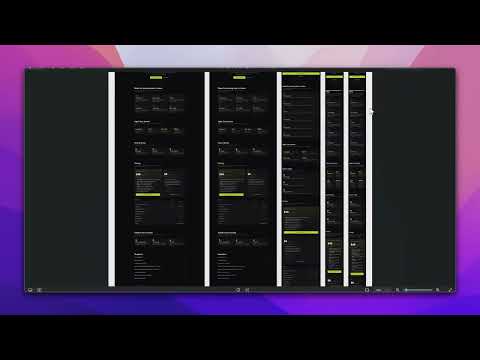
Full page screenshot of any site on desktop, tablet and phone at once. Responsive screenshots, scroll recordings and an editor.
Every device. Full page. One click. Tick the screen sizes you need, press once, and get a full-page capture of every one of them. Other screenshot tools do a single size at a time. This one does the whole set in a single run, adds your own breakpoints, and can record the scroll as a video. Full page screenshot, responsive screenshot, screenshot at every breakpoint. Made for web designers and agencies who show sites to clients. It waits for lazy images, scroll animations and counters to finish before it shoots, and it hides cookie banners and the WordPress admin bar on the way. FREE • Full-page or visible-area screenshots, PNG or JPEG • One built-in device per run • Download everything as a ZIP • Waits for lazy images, animations and counters • Hides cookie banners and the WP admin bar PRO (one-time licence key from shot.dvrk.agency) • Every device in one run: 10 built-in sizes plus your own breakpoints • Scroll recordings at 30 or 60 fps • Editor: arrows, text, highlight, blur, crop • Collages of all devices for client presentations • History of every run, with no limit HOW IT WORKS Open any page, tick the devices in the popup and press Screenshot or Screen record. Results open in a new tab: copy a shot straight into Figma or Slack, annotate it, or download everything at once. PRIVACY No account, no cloud. Screenshots, recordings and history stay in your browser. The only network requests are the licence check (Polar) and problem reports you send yourself, after seeing exactly what they contain. ABOUT THE "STARTED DEBUGGING" BAR DVRK Shot uses Chrome's debugging interface to capture the full page at any device size and to record scroll videos. Chrome shows a "DVRK Shot started debugging this browser" bar during a capture. That is expected and it disappears when the capture ends. Nothing is captured until you press the button. Works in Chrome, Edge, Brave and Opera on Windows and macOS. UI in English, Polish, German, French, Spanish, Portuguese, Finnish, Russian, Chinese and Japanese.
5 out of 53 ratings
Details
- Version1.1.1
- UpdatedOctober 6, 2026
- FeaturesOffers in-app purchases
- Offered byDVRK Agency
- Size377KiB
- Languages10 languages
- DeveloperMarcin Majchrzyk
Świętej Kingi 29/7 Chorzów 41-500 PLEmail
support@dvrk.agencyPhone
+48 728 088 234 - TraderThis developer has identified itself as a trader per the definition from the European Union and committed to only offer products or services that comply with EU laws.
Privacy

DVRK Shot - Full Page Screenshot has disclosed the following information regarding the collection and usage of your data. More detailed information can be found in the developer's privacy policy.
DVRK Shot - Full Page Screenshot handles the following:
This developer declares that your data is
- Not being sold to third parties, outside of the approved use cases
- Not being used or transferred for purposes that are unrelated to the item's core functionality
- Not being used or transferred to determine creditworthiness or for lending purposes
Support
For help with questions, suggestions, or problems, visit the developer's support site