

Operations: Command Center for Every New Tab
4 ratings
)
Overview
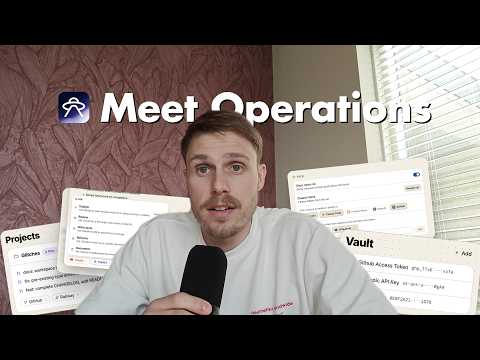
Replace your new tab with a personal dashboard: GitHub, projects, credentials, notes, and bookmarks.
What's new in v0.1.5 (2026-05-15) Custom dashboard layouts. Drag widgets anywhere, resize them per column, hide what you don't use, restore from a tray, and reset to default — your dashboard, your rules. Added - 12-column masonry layout you can drag, resize, and rearrange - Per-widget hide with a tray that lets you bring widgets back at the position they were in - Settings → Dashboard → Layout panel with per-module toggles and Reset to default - Hide the news feed straight from edit mode - Disabled features (Pomodoro, Hydration, Calendar) appear as restore chips so they're one click away from coming back - Project weekday filter ("Show on" row in the editor) + manual drag-reorder of project cards - Vault item delete (with confirm) - Todos: pencil edit button, search + project filter, and now included in profile exports - Footer Support link to DM on X Changed - Custom project visuals now always win over the auto-fetched preview image - Restored widgets land at the top or all the way at the bottom — never squeezed in between - New default layout: Todos · Projects · Bookmarks on top, Notes + Vault below Fixed - Bookmark drag order persists across new-tab opens - Bookmark title edits no longer silently revert - Dragging a widget off the grid now commits the drop - Row heights in Todos / Notes / Vault / Bookmarks no longer jump when adding new items Performance - Onboarding loads about 430× faster ——— Operations replaces your browser's new-tab page with a personal dashboard for people who manage multiple projects in parallel — developers, product managers, founders, consultants, and agency leads. Everything you open a new tab to check, grouped per project: • GitHub — pull requests and issues across all your repositories, with assignee and review-requested filters • Projects — cards grouping repos, live URLs, staging links, deploy targets (Vercel, Railway), and documentation • Vault — API keys, tokens, and credentials, scoped per project and never sent anywhere • Notes — project-scoped scratch space for the things you'd otherwise paste into Slack to yourself • Bookmarks — your existing Chrome bookmarks, imported in one click. Pinned tiles for the things you open dozens of times a day, plus a searchable grid for the long tail • Pomodoro — focus timer with custom blocks, your own sounds (built-in or uploaded), desktop notifications, and a rotating tip card during breaks • Hydration — gentle glass-by-glass tracking against a daily goal, with optional streak counter • Feed — a calm news rail above the footer: GitHub Trending, Claude Code, Shopify Dev, plus any Reddit communities you add. Archive what you've read; it doesn't come back. • Todos — quick one-line tasks, project-scoped if you want. Open items sit at the top; ticked ones strike through and sink out of the way. Why you might like it: → Make it yours. Drag widgets where you want them, resize them per column, hide what you don't use, and reset to default anytime. New in v0.1.5. → Per-project grouping. Stop hunting for "which repo was that PR in again?" — everything a project needs sits on one card. → Local-first. All data lives in your browser's local storage. Each Chrome profile is isolated. Nothing is synced to a cloud by default. → Full JSON export/import. Your data is yours — move it, back it up, or wipe it. → Five themes, including a serif "Field Manual" mode and a phosphor-cyan "Mission Control" mode for late-night sessions. → Built for keyboard-driven work. Fast to open, fast to scan, fast to dismiss. Integrations: GitHub (via your personal access token, stored locally — read-only) Chrome bookmarks (one-time import, on-demand permission) Operations is built by Studio N.O.P.E. — a Dutch design and engineering studio. Questions or feedback: hello@studionope.nl Learn more at https://operations.studionope.nl
5 out of 54 ratings
Details
- Version0.1.5
- UpdatedMay 17, 2026
- FeaturesOffers in-app purchases
- Offered byStudio N.O.P.E.
- Size1.01MiB
- LanguagesEnglish
- DeveloperStudio N.O.P.E.
Noord-Bevelandstraat 27 Amsterdam 1025NP NLEmail
helloworld@studionope.nlPhone
+31 6 50893677 - TraderThis developer has identified itself as a trader per the definition from the European Union and committed to only offer products or services that comply with EU laws.
- D-U-N-S494963363
Privacy

Operations: Command Center for Every New Tab has disclosed the following information regarding the collection and usage of your data. More detailed information can be found in the developer's privacy policy.
Operations: Command Center for Every New Tab handles the following:
This developer declares that your data is
- Not being sold to third parties, outside of the approved use cases
- Not being used or transferred for purposes that are unrelated to the item's core functionality
- Not being used or transferred to determine creditworthiness or for lending purposes
Support
For help with questions, suggestions, or problems, please open this page on your desktop browser