


Overview
Webpage Translation, Input Box Translation, Select-to-Translate, AI Reply, Conversation Summary and Grammar Check.
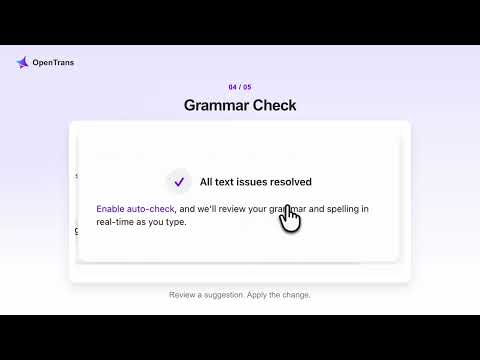
📣 OpenTrans — Webpage Translation · Input Box Translation · Select-to-Translate · AI Reply · Conversation Summary · Grammar Check Work English, solved in one place. ⌨️ Input Box Translation 🚀 Triple-Space Translation: Write in your language, then press Space three times to replace the text with a translation in a supported input field. Review it and send when you're ready. 🚀 Choose your target language or undo the translation. The shortcut translates your draft; it does not send it. 🚀 On supported email and chat pages, conversation context can help guide translation when the relevant settings are enabled. 📰 Webpage Translation 🚀 Keep the original and translation together, or switch to translation-only reading. Useful for articles, work research and longer reads. 🚀 Open a translated reading view for supported online documents, then return to the original to edit. 🔍 Select-to-Translate 🚀 Select a word for definitions, pronunciation and examples, with meaning in context. 🚀 Select a sentence or passage to see its translation without leaving the page. 💬 AI Reply 🚀 Enter an idea and click Generate to create a draft. Review the result and insert it into a supported text field. 📝 Conversation Summary 🚀 Summarize conversations on supported email and chat pages, then use the summary to prepare your reply. ✍️ Grammar Check 🚀 Check spelling and grammar beside supported text fields. Review suggestions and apply the changes you want. ⚙️ AI Models Choose official cloud models (the default), your own API key (BYOK), or on-device models for supported Chrome features, languages and devices. Edge currently supports cloud and BYOK. 🔒 Privacy & Data Processing Cloud and BYOK send the relevant text and any enabled context to the selected service for processing. On-device models process supported tasks locally. OpenTrans is not an entirely offline service. 💻 Try It for Free 1. Install OpenTrans and choose your target language. 2. Sign in for official cloud models, or configure a compatible model in settings. 3. Open a webpage to translate, select a word, or try three spaces in a supported text field. 📧 Questions or feedback: support@getopentrans.com
5 out of 55 ratings
Details
- Version1.12.0
- UpdatedNovember 10, 2026
- Size1.94MiB
- Languages21 languages
- DeveloperWebsite
Email
support@getopentrans.com - Non-traderThis developer has not identified itself as a trader. For consumers in the European Union, please note that consumer rights do not apply to contracts between you and this developer.
Privacy

OpenTrans: AI Translate & Write has disclosed the following information regarding the collection and usage of your data. More detailed information can be found in the developer's privacy policy.
OpenTrans: AI Translate & Write handles the following:
This developer declares that your data is
- Not being sold to third parties, outside of the approved use cases
- Not being used or transferred for purposes that are unrelated to the item's core functionality
- Not being used or transferred to determine creditworthiness or for lending purposes
Support
For help with questions, suggestions, or problems, visit the developer's support site