

OpenOffice Writer online for Word documents

Oversigt
Create and edit doc and docx documents with OpenOffice Writer online
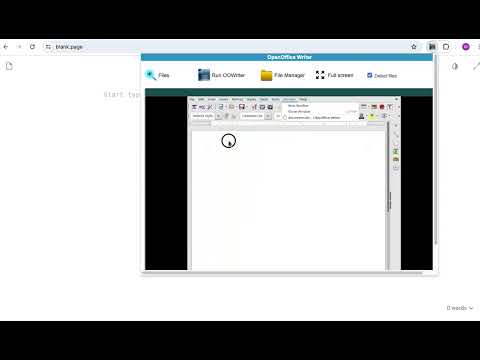
OpenOffice Writer online is an extension that allows to create, edit and view any Microsoft Word documents in both doc and docx formats. It is a word processor and publishing tool. It allows to create large documents, reports, and books, and simple enough for a quick memo. It is a document editor integrated with our file manager to manage only DOC, DOCX and ODT file types with this desktop app. The Open Office writer main features are: - Wizards for standard documents such as letters, faxes, agendas, minutes, or carrying out more complex tasks such as mail merges. You can also create your own templates, or download templates from the Templates repository. - Advanced Styles and Formatting. - Table of Contents & References to increase the usefulness of your long, complex documents by generating a table of contents or indexing terms, bibliographical references, illustrations, tables, and other objects. - Text frames and linking for publishing tasks like newsletters and flyers - Notes and comments on the side of the document. This makes notes a lot easier to read. - AutoCorrect dictionary to trap typing mistakes on the fly, checking your spelling as you type. - AutoComplete to reduce typing effort. It also suggests common words and phrases to complete while you are typing. This extension uses the platform http://www.offidocs.com. It is an integration with an Open Office Linux desktop application. In concrete, it is a desktop app running through our OffiDocs API. It is available for free online users but it also allows the integration with premium users and on-premises OffiDocs deployments where the OffiDocs OpenOffice Writer is installed. IMPORTANT: This extension scans the URLs browsed in order to detect DOC files. The DOC files detected appear in a list located in the extension popup that are retrieved from our servers. The scanning is performed from our servers so your URL are reported to our system. No personal data is collected. This scan can be disabled with a checkbox that appears in the extension popup. If you disable this scanning, this functionality is not available so then the extension functionality is very limited.
3,2 ud af 5101 bedømmelser
Oplysninger
- Version2.7.1
- Opdateret29. august 2024
- Størrelse410KiB
- Sprog18 sprog
- Udvikler
- Ikke forhandlerDenne udgiver har ikke angivet sig selv om forhandler. Hvis du er kunde i EU, skal du være opmærksom på, at forbrugerrettighederne ikke gælder for kontrakter, der indgås mellem dig og denne udgiver.
Privatliv

OpenOffice Writer online for Word documents har angivet følgende oplysninger vedrørende indsamlingen og brugen af dine data. Du kan få yderligere oplysninger i udviklerens privacy policy.
OpenOffice Writer online for Word documents håndterer følgende:
Denne udvikler bekræfter, at dine data:
- Ikke sælges til tredjeparter uden et godkendt anvendelsesformål
- Ikke anvendes eller overføres til formål, der ikke er relevante i forhold til elementets hovedformål
- Ikke anvendes eller overføres til at fastlægge kreditværdighed eller lånerelaterede formål
Support
Åbn denne side i browseren på computeren for at få hjælp, hvis du har spørgsmål, forslag eller problemer