

OpenOffice Calc online for xls spreadsheets

Общ преглед
Create and edit xls and xlsx spreadsheets with OpenOffice Calc online
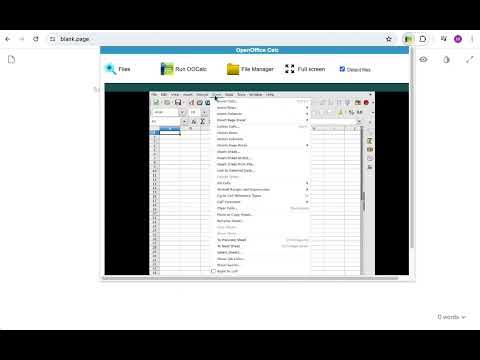
OpenOffice Excel online for XLS spreadsheets is an extension that allows to create, edit and view any Microsoft Excel spreadsheet in both xls and xlsx formats. It is a spreadsheet processor integrated with our file manager to manage only XLS file types with this desktop app. The OpenOffice Excel main features are: - Wizards that guides you through choosing and using a comprehensive range of advanced spreadsheet functions. - Flexible cell formatting options: rotating contents, templates, backgrounds, borders, and many more. - Possibility to cross-tabulate and summarise. - Creating formulas using words. - The Intelligent Sum Button inserts a sum function or a subtotal automatically, depending on context. - Range of templates from Extensions repository for ready-made spreadsheet solutions. - Advanced Styles and Formatting. - Save your spreadsheets in OpenDocument format, the new international standard for office documents. But you are free to use your old Microsoft Excel spreadsheets, or save your work in Excel format or use Portable Document Format (.pdf). - Integrated with a file manager to save, upload and download xls files. This extension uses the platform http://www.offidocs.com. It is an integration with an Open Office Linux desktop application. In concrete, it is a desktop app running through our OffiDocs API. It is available for free online users but it also allows the integration with premium users and on-premises OffiDocs deployments where the OffiDocs OpenOffice Excel is installed. IMPORTANT: This extension scans the URLs browsed in order to detect XLS files. The XLS files detected appear in a list located in the extension popup that are retrieved from our servers. The scanning is performed from our servers so your URL are reported to our system. No personal data is collected. This scan can be disabled with a checkbox that appears in the extension popup. If you disable this scanning, this functionality is not available so then the extension functionality is very limited.
3,7 от 5116 оценки
Подробности
- Версия3.0.4
- Актуализирано16 март 2026 г.
- Размер402KiB
- Езици18 езика
- Програмист
- НетърговецТози програмист не се е идентифицирал като търговец. Имайте предвид, че правата на потребителите не са приложими за договори, сключени между потребители в Европейския съюз и този програмист.
Поверителност

Програмистът на OpenOffice Calc online for xls spreadsheets е предоставил следната информация относно събирането и използването на данните ви. Можете да намерите по-подробна информация в(ъв) privacy policy на програмиста.
OpenOffice Calc online for xls spreadsheets обработва следните данни:
Този програмист декларира, че данните ви:
- Не се продават на трети страни за цели извън одобрените случаи на употреба
- Не се използват или прехвърлят за цели, които не са свързани с основната функционалност на елемента
- Не се използват или прехвърлят с цел оценка на кредитоспособността или с цел кредитиране
Поддръжка
За помощ относно въпроси, предложения или проблеми, моля, отворете тази страница на настолния си браузър