


Overview
Autopilot to build your presence and brand awareness across social media
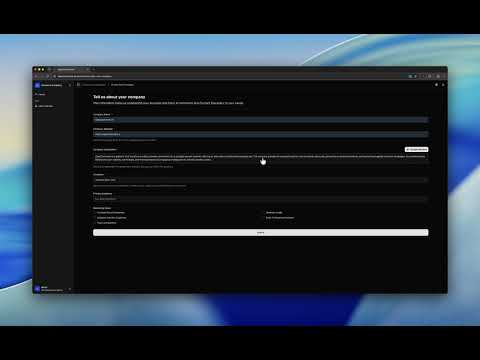
OpenComment AI helps you review and send AI-assisted LinkedIn comments and X (Twitter) replies from your browser. Be known before you reach out. Join relevant public conversations, contribute in your chosen voice, and keep your interactions connected to your OpenComment workspace. WHAT YOU CAN DO • Review prepared LinkedIn comments and X replies alongside the posts they respond to. • With Auto Submit turned off, place a draft in the native composer, edit it, and publish when ready. • Choose your posting identity: a personal profile or available Page on LinkedIn, or a signed-in account on X. • Start individual replies or batches of prepared comments and replies. • Record published comment and reply links in OpenComment. • Sync available engagement, including LinkedIn reactions, replies and impressions, or X likes, replies and views. YOU CONTROL EACH RUN Every delivery run starts with your action in the extension. Choose where to participate and which account to use. OpenComment checks the active posting identity before inserting or submitting a reply. CONNECTED TO YOUR WORKSPACE Use the OpenComment website to discover or import contacts, organize Contact Lists, set up monitoring, and prepare engagement campaigns. Use the Chrome extension to review and deliver replies, then sync available engagement. LinkedIn and X share one subscription and credit balance, with separate contacts, campaigns and engagement history for each platform. GET STARTED 1. Create or sign in to your OpenComment AI account. 2. Prepare your workflow at opencomment.ai. 3. Open the extension and select your workspace, platform and posting identity. 4. Review your prepared comments or replies and start when ready. Requires an OpenComment AI account and a signed-in account on the platform you use. Available engagement metrics vary by platform and may be incomplete. Learn more: https://opencomment.ai Support: https://opencomment.ai/support
5 out of 53 ratings
Details
- Version1.5.0
- UpdatedNovember 23, 2026
- Size477KiB
- LanguagesEnglish (United States)
- DeveloperLastcheck LLCWebsite
30 N Gould St Sheridan, WY 82801-6317 USEmail
ben@opencomment.aiPhone
+1 217-778-2596 - TraderThis developer has identified itself as a trader per the definition from the European Union and committed to only offer products or services that comply with EU laws.
- D-U-N-S119505275
Privacy

This developer declares that your data is
- Not being sold to third parties, outside of the approved use cases
- Not being used or transferred for purposes that are unrelated to the item's core functionality
- Not being used or transferred to determine creditworthiness or for lending purposes
Support
For help with questions, suggestions, or problems, visit the developer's support site