


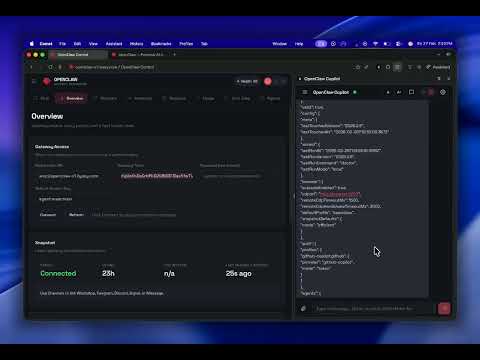
Overview
Save web content (selections, pages, images, links) to your OpenClaw Copilot agent's memory with one click.
Unlock the Full Power of OpenClaw in Your Browser! Welcome to OpenClaw Copilot, the ultimate Chrome extension designed to supercharge your web browsing and research experience. By seamlessly connecting your browser to your OpenClaw assistant, you can interact, save, and manage your digital knowledge without ever leaving your current tab. 🌟 Why Choose OpenClaw Copilot? Whether you're doing intensive research, reading long articles, or simply browsing daily content, OpenClaw helps you capture facts and retain information effortlessly. Send the context of what you are reading directly to your OpenClaw memory, creating a personalized AI companion that truly understands your digital life and workflows. 🚀 Key Features 💬 Instant OpenClaw Chat: Access your personalized OpenClaw assistant directly from the Chrome side panel. Ask questions, summarize articles, and get instant answers alongside your work. 💾 Seamless Web Clipping: Save full web pages to your Copilot memory in a single click. Let OpenClaw keep track of important articles and resources for you. ✂️ Smart Text Selection: Highlight any text on a webpage, right-click, and send it straight to OpenClaw. Perfect for capturing specific quotes, facts, or code snippets. 🖼️ Media & Link Saving: Easily save images and important URLs directly into your OpenClaw brain for later retrieval. ⌨️ Quick Keyboard Shortcuts: Use Ctrl+Shift+S (or Cmd+Shift+S on Mac) to instantly clip the current page or your highlighted text directly to OpenClaw. 💡 How OpenClaw Works Install & Pin: Add OpenClaw Copilot to Chrome and pin the extension for easy access. Open the Side Panel: Click the extension icon to instantly launch the OpenClaw chat interface alongside any webpage. Start Chatting & Clipping: Chat directly with your assistant, or highlight text and use the right-click menu to instantly send data to your OpenClaw memory! 📈 Boost Your Productivity Centralize your research and knowledge into OpenClaw to ensure that your AI Copilot is always learning from what you read. Stop losing track of important tabs, bookmarks, and disjointed notes. Let OpenClaw organize your digital knowledge seamlessly. Get started today and experience the smartest way to browse the web with your very own OpenClaw assistant!
4.5 out of 54 ratings
Details
- Version1.1.0
- UpdatedMay 13, 2026
- Size1021KiB
- LanguagesEnglish
- DeveloperWebsite
Email
frsrambiyan@gmail.com - Non-traderThis developer has not identified itself as a trader. For consumers in the European Union, please note that consumer rights do not apply to contracts between you and this developer.
Privacy

OpenClaw Copilot has disclosed the following information regarding the collection and usage of your data. More detailed information can be found in the developer's privacy policy.
OpenClaw Copilot handles the following:
This developer declares that your data is
- Not being sold to third parties, outside of the approved use cases
- Not being used or transferred for purposes that are unrelated to the item's core functionality
- Not being used or transferred to determine creditworthiness or for lending purposes
Support
For help with questions, suggestions, or problems, please open this page on your desktop browser