


Genel bakış
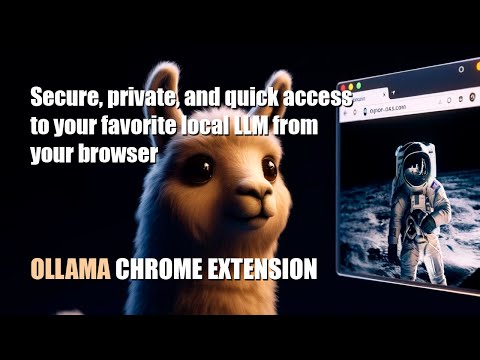
Quick access to your favorite local LLM from your browser (Ollama).
Ollama UI. Small open-source extension for Chromium-based browsers like Chrome, Brave, or Edge to quickly access your favorite local AI LLM assistant while browsing. Some features of this version: - Compatible with any LLM model included in Ollama (Llama3, Phi3, Mistral, Gemma...) - Selector for on-the-fly switching between installed models - Direct access via the sidebar (in supported browsers) and through a new tab - Markdown format support - Text rendering by tokens (stream) - Simple and lightweight design - Theme support. Light, Dark, NOSTROMO COMPUTER MU-TH-UR 6000 and Retro Terminal (MSDOS "Perfect DOS VGA") - Pre-promt and scenarios to quickly load your LLM in the right mood :) - Customization options: font size, local user and LLM name, header text - Open source Simply click on the extension icon and start chatting with your virtual assistant. Right-click on the extension icon to open a new tab. Make sure you have installed Ollama, and it is running: Download Ollama: https://ollama.com/ Install any of the available models on Ollama. For example, for LLama3 from META, type "ollama run llama3:8b" in your OS terminal. Llama-3 Installation video tutorial: https://www.youtube.com/watch?v=7ujZ1N4Pmz8
5 üzerinden 4,33 puan
Ayrıntılar
- Sürüm0.91
- Güncellenme tarihi:18 Eylül 2024
- Boyut4.25MiB
- DillerEnglish
- GeliştiriciWeb sitesi
E-posta
luishernandezgarrido@gmail.com - Tacir olmayanBu yayıncı kendisini tacir olarak tanımlamamış. Avrupa Birliği'ndeki tüketiciler açısından bakıldığında, bu geliştiriciyle yapmış olduğunuz sözleşmelerde tüketici haklarının geçerli olmadığını lütfen unutmayın.
Gizlilik
Bu geliştirici, verilerinizle ilgili olarak aşağıdakileri beyan eder:
- Onaylanan kullanım alanları dışında üçüncü taraflara satılmaz
- Öğenin temel işleviyle alakasız amaçlar için kullanılmaz ya da aktarılmaz
- Kredibilitenin belirlenmesi veya borç verme amaçlarıyla kullanılmaz ya da aktarılmaz