


Ringkasan
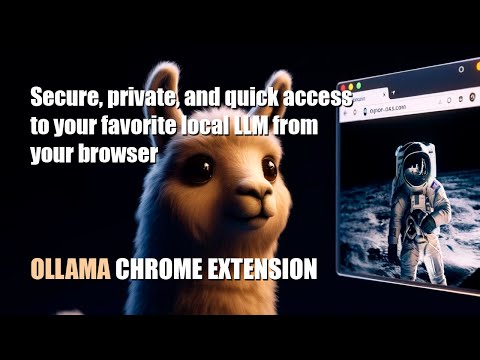
Quick access to your favorite local LLM from your browser (Ollama).
Ollama UI. Small open-source extension for Chromium-based browsers like Chrome, Brave, or Edge to quickly access your favorite local AI LLM assistant while browsing. Some features of this version: - Compatible with any LLM model included in Ollama (Llama3, Phi3, Mistral, Gemma...) - Selector for on-the-fly switching between installed models - Direct access via the sidebar (in supported browsers) and through a new tab - Markdown format support - Text rendering by tokens (stream) - Simple and lightweight design - Theme support. Light, Dark, NOSTROMO COMPUTER MU-TH-UR 6000 and Retro Terminal (MSDOS "Perfect DOS VGA") - Pre-promt and scenarios to quickly load your LLM in the right mood :) - Customization options: font size, local user and LLM name, header text - Open source Simply click on the extension icon and start chatting with your virtual assistant. Right-click on the extension icon to open a new tab. Make sure you have installed Ollama, and it is running: Download Ollama: https://ollama.com/ Install any of the available models on Ollama. For example, for LLama3 from META, type "ollama run llama3:8b" in your OS terminal. Llama-3 Installation video tutorial: https://www.youtube.com/watch?v=7ujZ1N4Pmz8
4,3 dari 53 rating
Detail
- Versi0.91
- Diupdate18 September 2024
- Ukuran4.25MiB
- BahasaEnglish
- DeveloperSitus Web
Email
luishernandezgarrido@gmail.com - Non-pedagangDeveloper ini tidak mengidentifikasi diri sebagai pedagang. Bagi konsumen di Uni Eropa, perlu diperhatikan bahwa hak konsumen tidak berlaku untuk kontrak antara Anda dan developer ini.
Privasi
Developer ini menyatakan bahwa data Anda
- Tidak dijual ke pihak ketiga, di luar kasus penggunaan yang disetujui
- Tidak digunakan atau ditransfer untuk tujuan yang tidak terkait dengan fungsi inti item
- Tidak digunakan atau ditransfer untuk menentukan kelayakan kredit atau untuk tujuan pinjaman