

Open-Motions - Open Source Screen Recorder with Auto Zoom
1 rating
)
Overview
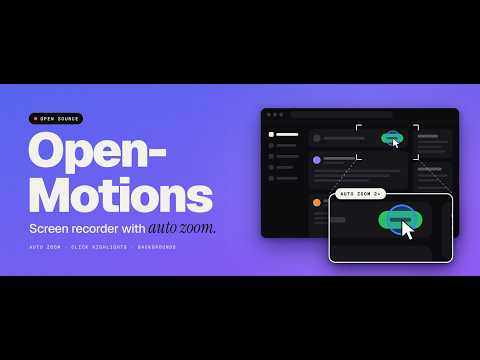
Free & open-source screen recorder. Create beautiful recordings with automatic cinematic zoom & pan — 100% offline, no sign-up.
Open-Motions is an open-source screen recorder that adds the zooms for you. Record your screen as usual, and the editor zooms in on your clicks and follows your scrolling, so a plain recording comes out looking like an edited product demo. WHAT IT DOES - Records your screen in four steps: pick a screen, add your camera or microphone if you want, hide the sharing bar, and hit record. - Adds zooms and pans automatically from your clicks and scrolls. Pick the zoom depth (1.1x to 2x), or add and remove zooms yourself on the timeline. - Highlights each click, in the color and intensity you choose. - Smooths the cursor's movement and lets you set its size. - Puts the recording on a background: 12 gradients, an image, or none, with an optional drop shadow. - Reshapes the video for where it is going: nine aspect ratio options, including 16:9, 1:1 and 9:16 (beta). - Hides the browser's tab strip and address bar, or the taskbar or Dock, with one switch each. - Records tab or system audio, your microphone, and a picture-in-picture camera overlay. - Gives you a 3 or 5 second countdown before recording starts. - Lets you trim the ends, undo changes, and work from the keyboard. - Exports the finished video. WHY INSTALL IT - Your demos look edited without any editing. You don't have to place zooms by hand in a video editor. - Viewers can follow along. The zoom shows where to look, and the highlight shows what you clicked. - One recording works everywhere: widescreen for a website or YouTube, square for a feed, vertical for Reels and Shorts. - It is open source, so anyone can read the code and see what it does. - It runs as a browser extension, with no separate app to set up. WHO IT IS FOR Founders and developers showing a product, people making tutorials or documentation, support teams answering "how do I do this?", and anyone posting a walkthrough. HOW TO USE IT 1. Click the Open-Motions icon in your toolbar. 2. Choose the screen to share. Entire screen gives the best results. 3. Record, then stop from the toolbar button. 4. Adjust the zooms, background and aspect ratio in the editor, then export.
5 out of 51 rating
Details
- Version1.6.0
- UpdatedOctober 13, 2026
- Size129KiB
- LanguagesEnglish
- Developer
Email
kumarnikhil48578@gmail.com - Non-traderThis developer has not identified itself as a trader. For consumers in the European Union, please note that consumer rights do not apply to contracts between you and this developer.
Privacy

This developer declares that your data is
- Not being sold to third parties, outside of the approved use cases
- Not being used or transferred for purposes that are unrelated to the item's core functionality
- Not being used or transferred to determine creditworthiness or for lending purposes